
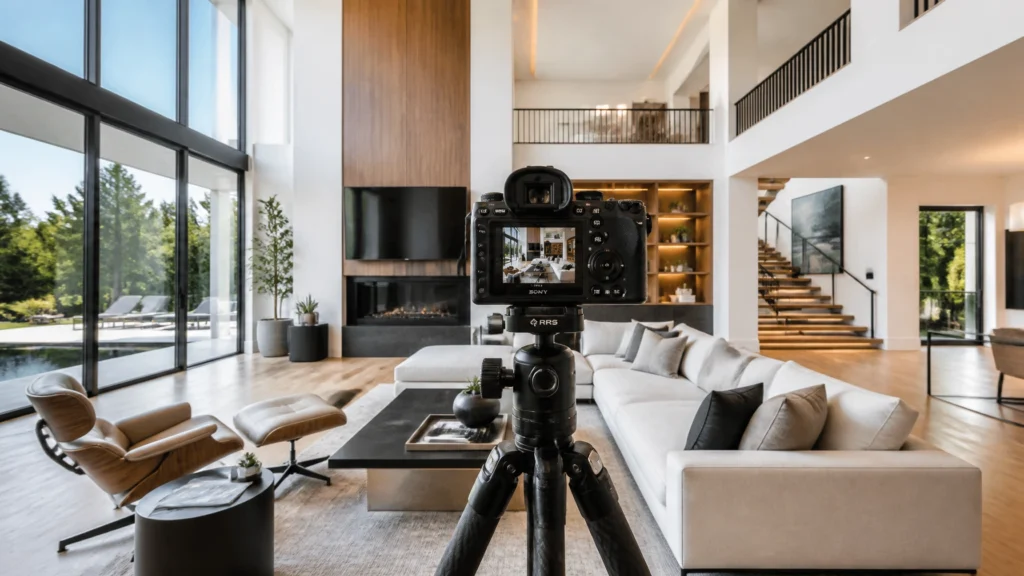
When I first started shooting real estate back in 2010, we were fighting for every bit of dynamic range we could get. Fast forward 14 years and over 10,000 homes later, and the landscape has changed completely. In 2026, we have AI-powered editing, drones that practically fly themselves, and cameras that can see in the dark.
But there’s one question I get asked more than any other by photographers just starting out or looking to add a second body to their bag: “Is the Sony A7 III still worth it?”
The A7 III was a “goldilocks” camera when it launched. It was the moment Sony truly took over the real estate industry. But we are now two generations past it. With the Sony A7 IV being a staple and the Sony A7 V pushing the boundaries of what’s possible with AI and stabilization, does this “old” workhorse still have a place in a professional workflow?
The short answer: Yes. But with some very specific caveats. Let’s dive into why this camera is still the king of the budget category and when you should absolutely ignore it and spend the extra money on its newer siblings.
Quick Verdict: Is it Recommended in 2026?
The Verdict: Absolutely recommended for beginners, budget-conscious solo operators, and as a reliable “B-cam.”
The Sony A7 III remains the best value-for-money full-frame camera for still photography in the real estate space. If your business is 90% photos and you work primarily from a tripod, the image quality you get from this sensor is indistinguishable from cameras costing three times as much once the images are edited and delivered to an agent.
Who is it for?
- New photographers building their first professional kit.
- Photographers who prioritize still photos over high-end video.
- Businesses looking for a reliable, low-cost secondary body for employees.
Is it worth buying today?
Only if you are buying it at the right price point (usually used or heavily discounted). If you are paying close to the price of an A7 IV, skip it. But if you can snag one for a deal, it’s the fastest way to get full-frame quality without the full-frame debt.
Why I Recommend This Camera
I’ve personally put hundreds of thousands of shutter clicks on the Sony A7 III across thousands of homes. It was the primary camera for my team for years because it solved the three biggest headaches we faced: battery life, autofocus reliability, and dynamic range.
Before the A7 III, we were carrying eight tiny batteries for a single day of shooting. When the A7 III introduced the NP-FZ100 “Z battery,” it changed the game. I could shoot three or four houses on a single charge. That might sound like a small thing, but when you are trying to shoot faster and maximize your daily profit, not having to fumble with batteries mid-shoot is a massive win.
I recommend it today because real estate photography is, at its core, about solving problems for agents. They need sharp, well-exposed photos that make a house look inviting. The 24.2MP sensor in the A7 III delivers exactly that. It handles the massive contrast between a dark living room and a bright Saskatchewan sun through the window better than almost anything in its price bracket.
Key Features That Matter for Real Estate
When you look at a spec sheet, it’s easy to get distracted by things like “burst rate” or “eye-tracking for birds.” In real estate, those don’t matter. Here is what actually moves the needle for our business:
1. 15 Stops of Dynamic Range
In real estate, dynamic range is king. We are constantly shooting into bright windows. The A7 III sensor is legendary for its ability to pull detail out of the shadows without introducing a ton of noise. This is critical for our HDR workflows.
2. The Z-Battery
I mentioned this already, but it bears repeating. Efficiency is the key to earning more. The A7 III was the first “affordable” Sony to get the big battery. You can go a whole day without worrying about power.
3. Dual SD Card Slots
Professionalism means redundancy. If a card fails (and they eventually do), having that second slot saving a backup in real-time saves you from the nightmare of a re-shoot.
4. 5-Axis In-Body Image Stabilization (IBIS)
While not as advanced as the A7 V, the IBIS in the A7 III is plenty for those “lifestyle” shots where you might leave the tripod behind to grab a quick detail of a fireplace or a designer faucet.

Real-World Performance: In the Trenches
Let’s talk about how this camera actually performs when you’re standing in a cramped bathroom at 2:00 PM on a Tuesday.
Handling Bright Windows
Most of my students struggle with “blown-out” windows. The A7 III makes the HDR workflow incredibly smooth. By shooting a 5-frame bracket (2 stops apart), you capture everything from the deepest closet to the brightest sun-drenched patio. The RAW files from the A7 III are “flexible.” In Lightroom, you can push and pull the exposure significantly before the image starts to fall apart.
Low Light & High ISO
While we usually shoot at ISO 100 on a tripod, there are times, like twilight shoots or dark basements, where you might need to bump it up. The A7 III is exceptionally clean up to ISO 3200. This allows you to keep your shutter speeds reasonable if there’s a slight breeze moving the trees outside or if you’re trying to avoid “motion blur” in a lifestyle shot.
The “Yellow” Problem
One “Scott-ism” you should know: older Sony cameras had a reputation for slightly “yellow/green” color science in the RAW files. The A7 III was a huge improvement over the A7 II, but it’s not as “pure” as the newer A7 IV or A7 V. It’s nothing a good editing preset or an outsourced editor can’t fix, but it’s something to be aware of.
Workflow Advantages: Shooting Faster
At RE Media Systems, our goal is to help you shoot faster and earn more. The A7 III supports this by being a “no-friction” camera.
- Custom Buttons: You can map your bracket settings to a single button. I have mine set so I can toggle my 5-frame bracket on and off instantly.
- Focus Peaking: When shooting ultra-wide (like with a 16-35mm), focus peaking on the A7 III is clear and reliable, ensuring every corner of that $2M listing is tack-sharp.
- Weight: It’s light. When you’re carrying a tripod and camera through 10 houses a day, every ounce matters.
If you want to see our full gear list for maximum efficiency, check out our Recommended Gear page.
Pros and Cons
Pros
- Price: In 2026, the used market is flooded with these. It’s the ultimate “entry-level” professional full-frame.
- Sensor Quality: 24MP is the “sweet spot.” Large enough for high-end brochures, small enough that your computer doesn’t catch fire during editing.
- Lens Ecosystem: You have access to every E-mount lens, from budget Tamrons to high-end Sony G-Master glass.
- Reliability: These things are tanks. I’ve dropped them, used them in the snow, and they just keep clicking.
Cons
- The Menu System: It’s the “old” Sony menu. It’s a labyrinth. Expect to spend a few hours on YouTube just learning where the “Format” button is.
- The Screen: The rear LCD isn’t as high-res as modern cameras, and it doesn’t flip out to the side. This makes vertical “Social Media” shots a bit more of a pain.
- 8-Bit Video: If you want to do high-end cinematic video tours with heavy color grading, the A7 III’s 8-bit files will limit you.
- Dated Autofocus: It’s great, but it doesn’t have the “AI” human/object recognition found in the A7 V.
Who Should Buy This Camera?
The “Bootstrapper”: If you have a limited budget and need to buy a camera, a wide-angle lens, a tripod, and a drone all at once, buy a used A7 III. Spend the money you saved on a better lens (like the Sony 16-35mm f/4 PZ). A great lens on an A7 III will always beat a mediocre lens on an A7 V.
The “Scaling Studio”: If you are hiring your first employee and need to get them a reliable kit that matches your current workflow without spending $4,000, the A7 III is the perfect fleet camera.

Who Should Skip It?
The Video Specialist: If video tours are more than 40% of your business, skip the A7 III. The 10-bit color and 4K 60p capabilities of the Sony A7 IV Review make it a much better tool for the modern “hybrid” shooter.
The “Handheld” Shooter: If you hate tripods and want to shoot handheld HDR, the A7 V is your camera. The A7 III’s stabilization isn’t strong enough to reliably align 5-frame brackets while you’re holding it.
Recommended Accessories
To make the A7 III a real estate beast, you need a few extras:
- Lens: Sony 16-35mm f/4 G PZ. It’s light, sharp, and the power zoom is great for video.
- Tripod: A sturdy carbon fiber tripod with a geared head. Precision is key.
- L-Bracket: Essential for switching from landscape to portrait (for those Instagram Reels) while keeping the camera centered over the tripod.
- Fast SD Cards: You don’t need the world’s fastest cards for photos, but don’t buy the cheapest ones either. SanDisk Extreme Pro is my go-to.
Alternatives
Sony A7 IV
The logical step up. You get 33MP, a much better menu, and significantly better video. It’s the current industry standard. Check out my full thoughts in the Sony A7 IV Review.
Sony A7 V
The high-end choice. With the AI autofocus and incredible IBIS, this is for the pro who wants the best of the best. Read more in the Sony A7 V Review.
Canon EOS R6 II
If you aren’t married to Sony, the R6 II is a fantastic alternative with arguably better “out of the box” colors, though the lens ecosystem is more expensive.
FAQ
1. Is 24 Megapixels enough for real estate in 2026?
Yes. 99% of your photos are viewed on a phone or a laptop. Even for high-end magazine printing, 24MP is plenty. Higher megapixels just slow down your editing and fill up your hard drives.
2. Does the Sony A7 III have a “Real Estate” mode?
No, but you can save your HDR bracket settings to the “1” or “2” dials on the top of the camera for instant access.
3. Can I use the A7 III for 3D tours like Matterport?
You can use it to take the 360 photos required for some platforms, but a dedicated 360 camera or a smartphone with a motor is usually faster.
4. How does the A7 III handle “flaring” from bright lights?
Flaring is mostly a lens issue, not a camera issue. Use a high-quality wide-angle lens to minimize this.
5. Is the A7 III weather-sealed?
It has “basic” weather sealing. I’ve shot in light rain and snow with no issues, but don’t take it into a monsoon.
6. What is the best focus mode for interiors?
I typically use AF-S (Single-shot AF) with a medium flexible spot. Since the house isn’t moving, you don’t need continuous tracking.
7. Can the A7 III do 4K 60fps video?
No, it is limited to 4K 30fps. If you need 60fps for slow-motion walkthroughs, you’ll need to step up to the A7 IV.
8. Is the A7 III’s screen “flippy”?
No, it only tilts up and down. This is one of its biggest drawbacks for vertical content creation.
9. Can I charge the A7 III via USB?
Yes, you can charge it via the Micro-USB or USB-C port, which is great for long days or if you forget your charger.
10. Should I buy it new or used?
In 2026, buy it used. The value proposition is all about the low entry price.
Final Recommendation
The Sony A7 III is a legendary camera for a reason. It was the first time “professional” full-frame features became accessible to the average photographer.
In 2026, it is no longer the “best” camera, but it is arguably the smartest camera for a new business owner. By saving $1,000 to $2,000 on the camera body, you can invest in better lenses, better lighting, or marketing to get your first 10 clients.
At the end of the day, your clients won’t know if you shot their listing on an A7 III or an A7 V. They will only care that the photos look amazing and that you delivered them on time. The A7 III allows you to do exactly that while keeping your overhead low and your profits high.
Ready to upgrade your gear?
Check out my Recommended Gear page for my full list of lenses, drones, and tripods that I use every day in my 7-figure real estate media business.
Watch the Video:
Sony A7 III Real Estate Setup Guide on YouTube
RE Media Systems is dedicated to helping photographers shoot faster, earn more, and build better businesses. If you found this guide helpful, consider subscribing to our newsletter for weekly tips on scaling your media business.