If you are already delivering professionally edited listing photos, you may be sitting on an easy add-on service.
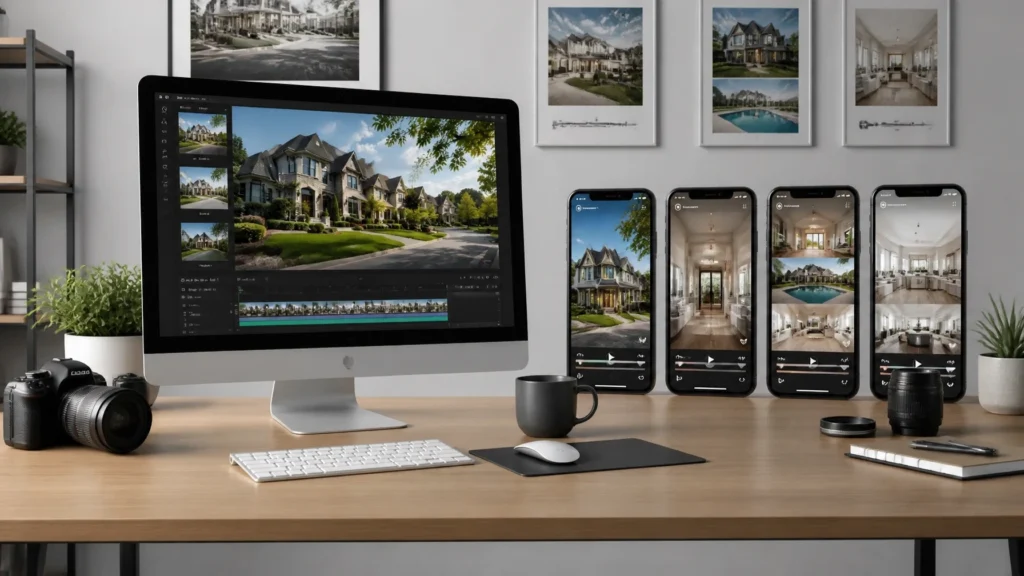
Those same photos can become a series of short vertical reels that an agent can post over several days. No second site visit. No gimbal. No extra filming schedule.
In my YouTube video, How I Turn 20 Photos Into 6 Viral Reels in 10 Minutes, I show the basic process. The point is not that every reel will go viral. No one can guarantee that. The point is that agents need more than one piece of social content for every listing, and you can create that content from work you have already completed.
After more than 14 years in real estate media and over 10,000 homes photographed, I look for services that do three things:
- Increase the value of each booking.
- Require little or no additional time on site.
- Fit naturally into the existing delivery workflow.
An AI-generated reel bundle can meet all three requirements when you package and quality-check it properly.
What You’ll Learn
- How to turn 20 listing photos into six distinct reels
- Which photos and effects work best
- How to package the service for agents
- What to charge without pricing from your software cost
- How to sell reels for active and stale listings
- Where this service fits in a larger media package
Why Agents Need More Than One Listing Video
An agent may order one cinematic property video, post it once, and then run out of content.
They still have a listing to promote, but they may not want to repost the same video repeatedly. The alternative is usually a basic photo carousel or a static graphic.
That creates a useful middle ground for photographers.
A full cinematic video may require additional production time and equipment. A photo-based reel bundle is simpler. It gives the agent multiple pieces of content while allowing you to use the photos you were already hired to create.
This does not replace real video when a listing needs a walkthrough, lifestyle footage, or detailed property coverage. It is a separate product for agents who want consistent social content without ordering a full production.
The product is not “AI.” The product is six ready-to-post pieces of listing content.
The 6-Reel Workflow
1. Start With the Edited Listing Photos
Use finished, client-approved images rather than raw files.
For a typical project, select approximately 20 strong photos, including:
- Front exterior
- Entryway
- Main living area
- Kitchen
- Dining area
- Primary bedroom
- Bathrooms
- Office or bonus room
- Backyard or outdoor living space
- Standout architectural features
The order matters. Arrange the photos so the reel feels like a short visual tour rather than a random slideshow.
I usually begin with an exterior or strongest hero image, move through the main living spaces, and finish with an image that gives the agent a reason to contact them.
2. Upload the Photos to a Photo-to-Video Tool
For this workflow, I use Rendy, a platform built for real estate media professionals.
The basic process is straightforward:
- Upload the edited listing photos.
- Select the portrait or vertical format.
- Adjust the sequence and framing.
- Choose effects and music.
- Render and review the finished reels.
- Download and deliver the files to your client.
Rendy’s current workflow includes camera movements, visual effects, animated water and fire, virtual staging options, branding, and different pacing for the finished videos. Features and availability can change, so verify current access and terms directly with Rendy.

3. Choose Vertical Format
For Instagram Reels, TikTok, and YouTube Shorts, choose a vertical 9:16 format.
Pay attention to how wide real estate photos are cropped. A beautiful horizontal image can lose its most important feature when forced into a vertical frame.
Check:
- Kitchen islands
- Window views
- Fireplaces
- Beds and furniture
- Architectural lines
- Exterior landscaping
- Text overlays near the top or bottom of the frame
If the crop does not work, choose another photo or adjust the framing. Do not allow the automation to make every decision for you.
4. Use Effects Selectively
The visual effects are useful because they make the reels feel different from basic photo slideshows. But more effects do not automatically make a better product.
Use effects where they support the property:
- Day-to-night: Strong for an exterior hero image
- Water animation: Appropriate for pools, lakes, or waterfront views
- Fire animation: Useful for fireplaces or outdoor fire features
- Parallax or push-in: Effective on living rooms and architectural details
- House drop or aerial-style opening: Useful as an attention-grabbing introduction
- Virtual staging: Appropriate for selected vacant rooms
Do not put dramatic effects on every image. A bathroom or laundry room usually does not need a special visual treatment. Save the strongest effects for the photos that deserve attention.
5. Create Six Distinct Reels
The value of the bundle is that the agent receives multiple videos that do not all feel identical.
The tool can vary:
- Music
- Pacing
- Transitions
- Photo order
- Camera movement
- Opening image
- Effects
- Text and branding
Six versions allow the agent to post more consistently without publishing the same video six times.
You can also create a branded five-second outro with the agent’s contact information. I have used short branded clips made in CapCut and saved them for future projects. Once an agent’s outro is prepared, it becomes much faster to apply it to later listings.

How to Package the Service
I recommend giving the product a simple, client-facing name. Avoid making the agent understand the software behind it.
Examples include:
- Social Reel Six-Pack
- Listing Social Reel Bundle
- Photo-to-Video Package
- Listing Content Pack
- Social Media Listing Bundle
My preference is Social Reel Six-Pack because the deliverable is immediately clear: six reels ready for social media.
You can sell it in two ways.
Option 1: Add It to Existing Photo Orders
Present it as an optional upgrade during booking:
Social Reel Six-Pack: Receive six branded vertical reels created from your listing photos, ready to post across social media.
This works well for agents who already understand the value of consistent listing marketing.
Option 2: Include It in a Higher Package
You can also include the reels in a premium package alongside:
- HDR photography
- Premium floor plans
- A virtual tour
- Drone photography
- A cinematic walkthrough
- Virtual staging
- Social media content
I recommend including premium floor plans in every listing package rather than treating them as an afterthought. A floor plan adds useful information to the listing, but do not promise that it guarantees more bookings or higher conversion rates.
For CubiCasa pricing, verify the current rates directly with CubiCasa, because pricing and regional offers can change.
What Should You Charge?
Do not price this service only by calculating the software cost.
Your client is paying for:
- The photo selection
- The creative judgment
- The editing and quality control
- The branding setup
- The convenience
- The ready-to-post deliverables
- The fact that they do not need to learn another platform
In the workflow shown in my video, the production cost was approximately $15 per listing. Your exact cost may be different based on your plan, volume, and currency.
A practical starting range might be:
- $75–$100 for six standard reels
- $125–$150 for a branded premium bundle
- More when combined with additional video, drone, staging, or content services
These are starting points, not fixed market prices. Set your final price based on your market, client type, output quality, and business costs.
For example, selling five $75 bundles per month would produce $4,500 in additional annual revenue before expenses. That is not a guarantee; it is simply the math behind a realistic sales target.
The important principle is this:
Price the service according to the value and convenience it provides, not according to how quickly the software renders it.
How to Sell It to Active and Stale Listings
Existing Clients
Start with agents you have already photographed for. Send a short email with:
- One sample bundle
- The name of the service
- What is included
- The price
- A clear explanation that no additional shoot is required
You can say:
I’ve added a new social media reel package that turns your listing photos into six short vertical videos. They are ready to post over several days and can help you keep the listing visible without repeating the same video. I can create them from the photos we already have for $___.
Keep the message short and visual.
Stale Listings
Look at listings that have been active for several weeks. If you previously photographed one, the opportunity is even better because you already have the files.
A helpful message could be:
I noticed your listing is still active, so I wanted to offer a simple content refresh. I can turn the existing listing photos into six branded reels for you to post over the next week. There is no additional site visit required, and the package is $___.
Do not promise that the reels will sell the home or produce a specific number of inquiries. Position them as additional marketing content that gives the agent more ways to promote the property.
Quality-Control Checklist
Before delivery, review every reel for:
- Accurate property representation
- Natural-looking motion
- Correct address and agent information
- Proper vertical cropping
- Readable text
- Appropriate music and licensing
- No distorted furniture or architecture
- No effects that misrepresent the property
- Consistent branding
- Correct file names
AI can save time, but it does not remove your responsibility as the media provider.
For more workflow ideas, see the best AI tools for real estate photo editing, the complete HDR real estate photography guide, and our business systems resources.
Frequently Asked Questions
1. Do I need to shoot additional video?
No. The bundle is created from existing edited listing photos. You can offer additional video separately when the property or client needs it.
2. How many photos should I upload?
I recommend starting with approximately 20 strong images. The exact number depends on the platform and the number of rooms you want to feature.
3. Are these the same as a cinematic walkthrough video?
No. These are short reels created from still images with movement, transitions, music, and selected effects. A cinematic walkthrough requires actual video capture and provides a different type of deliverable.
4. Can I use drone photos?
Yes, provided the images are suitable for the vertical crop and accurately represent the property. Use them selectively rather than forcing every reel to begin with an aerial image.
5. Can I add the agent’s branding?
Yes. Add the agent’s logo, contact information, property address, and an outro where appropriate. Always proofread the information before delivery.
6. Should I deliver all six reels?
Yes, if you sell a six-reel bundle. Some photographers may choose to advertise three reels and overdeliver six, but be clear about what the client is purchasing and delivering.
7. Can I sell this to an agent whose listing I did not photograph?
You can, provided you have permission to use the images and the necessary licensing rights. Do not download another photographer’s work and create a new product from it without authorization.
8. Will these reels go viral?
There is no reliable way to guarantee that. The business value is providing consistent, useful content that gives the agent more opportunities to market the listing.
9. Should I include reels in every package?
That depends on your market and pricing. Including them in a premium package can simplify sales, while offering them as an add-on gives price-sensitive clients a choice.
10. What other services pair well with this bundle?
Premium floor plans, drone photography, virtual tours, virtual staging, and full cinematic video can all fit into a broader listing media package. Build the package around the client’s marketing needs rather than adding services randomly.
Final Recommendation
An AI reel bundle is one of the more practical ways to increase the value of an existing real estate photography order.
You already have the images. The agent already needs marketing content. The missing piece is a repeatable production and sales system.
Start with one tool, one package name, one price, and one sample email. Test it with existing clients before building a complicated service menu.
If the workflow helps you shoot once, deliver more, and create additional revenue without adding another site visit, it deserves a place in your business.
Watch the full YouTube tutorial, explore Rendy, review the RE Media Systems Guides, and browse our Recommended Gear for more systems designed to help you shoot faster, earn more, and build a better real estate media business.