
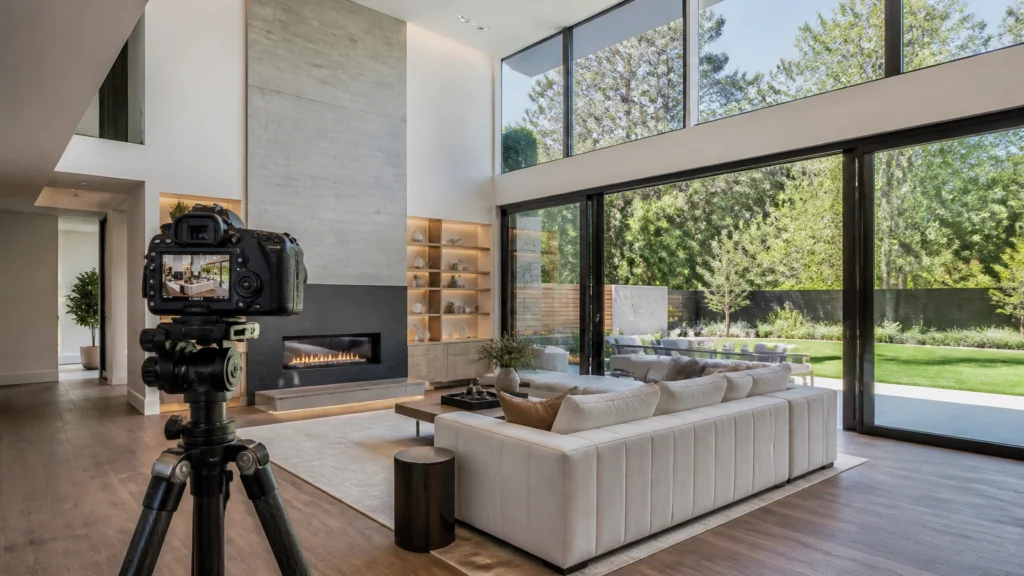
If you’ve been in the real estate photography game for any length of time, you know that your camera isn’t just a tool, it’s the engine of your business. Over the last 14 years and 10,000+ homes, I’ve seen the industry shift from heavy DSLRs and manual bracketed exposures to the lightning-fast, AI-driven mirrorless systems we use today.
Lately, the big question in my inbox is: “Is the Canon EOS R6 Mark II the right choice for real estate?”
Some photographers are lured by the high megapixel count of the R5, while others are looking over the fence at Sony. But for the working pro who needs a reliable, fast, and high-performing hybrid body that doesn’t break the bank, the R6 Mark II occupies a very sweet spot. In this guide, I’m going to break down exactly how this camera performs in the field, why it might be the best Canon camera for real estate photography right now, and where it might fall short for your specific workflow.
1. Quick Verdict
The Canon EOS R6 Mark II is a phenomenal workhorse for real estate media professionals. It is absolutely recommended for anyone already in the Canon ecosystem or those looking for a reliable hybrid body that excels at both HDR stills and 4K video tours.
- Who is it for? Professional real estate photographers who prioritize workflow speed, reliable autofocus, and excellent video capabilities.
- Worth buying today? Yes. It offers the best balance of price and performance in Canon’s current lineup for this specific niche.
- The Bottom Line: While it “only” has 24.2 megapixels, that is more than enough for MLS and even high-end print. Its real strength lies in its handling, dynamic range, and the incredible RF lens lineup.
2. Why I Recommend This Camera
In my 14 years of shooting, I’ve learned that “more” isn’t always “better.” More megapixels often just means more storage space and slower processing times. What I need is consistency.
I recommend the R6 Mark II because it solves the “efficiency” problem. When you’re shooting 5–7 homes a day, you can’t afford a camera that overheats, has a clunky menu, or fails to lock focus in a dimly lit basement. The R6 Mark II is the evolution of the original R6, fixing the overheating issues and bumping the resolution just enough to give you some cropping breathing room.
I’ve used Canon systems through the transition from the 5D series to the R-system, and the R6 Mark II feels like the spiritual successor to the 5D Mark IV, it’s the camera that just works every time you pull it out of the bag.

3. Key Features That Matter for Real Estate
When you read a typical review, they talk about bird eye-tracking or 40fps burst rates. For real estate, we don’t care about birds. We care about windows, shadows, and speed. Here is what actually matters:
24.2MP Full-Frame Sensor
Some might say 24MP is “entry-level” for full-frame, but for real estate, it’s the “Goldilocks” zone. Most MLS systems downsize your images to 2048 pixels on the long edge. A 24MP file gives you plenty of detail for a full-page magazine spread while keeping your Lightroom import and export times fast.
High Dynamic Range & ISO Performance
Real estate is a game of extremes. You have a dark corner of a room and a blazing bright window in the same shot. The R6 Mark II’s sensor handles noise exceptionally well. Even if I have to bump the ISO to 400 or 800 for a quick handheld shot, the shadows stay clean.
Advanced Auto Exposure Bracketing (AEB)
This is our bread and butter. The R6 Mark II allows for up to 7-shot brackets. While I usually stick to 5 shots at 1 EV or 2 EV spacing, having the flexibility to go wider is crucial for those ultra-luxury homes with massive floor-to-ceiling windows.
In-Body Image Stabilization (IBIS)
If you’re doing video walk-throughs or “social media reels,” the IBIS in this camera is a lifesaver. When paired with an RF lens like the 15-35mm f/2.8, you can get gimbal-like smoothness for quick pans and tilts without always needing to lug around a heavy stabilizer.
4. Real-World Performance: On Location
Let’s talk about being in a house. It’s 2:00 PM, the sun is hitting the front of the house, and the interior is a mix of orange tungsten lights and blue daylight.
The “Window Pull” Test
When shooting HDR, I need the darkest exposure to hold all the detail in the sky and the grass outside. The R6 Mark II has a base ISO of 100 with massive latitude. In post-processing, I can pull those highlights down and they look natural, not “gray” or “muddy.”
Focusing in Low Light
I’ve been in plenty of “theatrical” basements and dark bathrooms where older cameras hunt for focus. The R6 Mark II’s Dual Pixel CMOS AF II is essentially “cheat mode.” It finds a vertical line on a door frame or the edge of a vanity and locks on instantly, even in near darkness.
Handheld HDR (The Speed Demon Move)
While I always recommend a tripod for the best results (check out my guide on Recommended Camera Gear), there are times, like tight powder rooms or closets, where a tripod just doesn’t fit. The R6 II’s fast burst rate and IBIS mean you can fire off a 5-shot bracket handheld, and they will align perfectly in Lightroom.

5. Workflow Advantages: Earning More by Shooting Faster
Our mission at RE Media Systems is to help you shoot faster and earn more. The R6 Mark II contributes to this in three major ways:
- Custom Modes (C1, C2, C3): I have C1 set for Stills (Bracketed, f/8, ISO 100) and C2 set for Video (4K 60fps, 1/120 shutter). Moving between a photo shoot and a video tour takes exactly one click of the dial.
- Canon Camera Connect App: For those high-angle “pole shots” or when you need to trigger the camera from another room to stay out of the mirrors, the Wi-Fi connection is more stable on the Mark II than any previous version.
- File Management: The dual SD card slots mean I’m writing to two cards simultaneously. If one card fails (and it will eventually happen), I haven’t lost the client’s shoot. This “fail-safe” is a hallmark of a professional business system.
6. Pros: Why It Wins
- Ergonomics: Canon simply makes the most comfortable cameras to hold. The grip is deep, and the button layout is intuitive.
- Color Science: Canon colors (especially the whites and wood tones) require less “tweaking” in Lightroom compared to Sony’s sometimes-greenish tints.
- Video Quality: 4K 60p with no crop is a game changer for high-end video tours.
- Reliability: It doesn’t overheat during long video sessions like the original R6 did.
7. Cons: The Honest Truth
- Lens Cost: RF lenses are expensive. Canon has limited third-party options (like Sigma/Tamron) for the RF mount, though this is slowly changing.
- Resolution Ceiling: If you do a lot of high-end commercial work or billboard-sized prints, you might miss the 45MP of the R5.
- Micro-HDMI: I really wish it had a full-sized HDMI port for external monitors, but for most RE work, the flip-out screen is enough.
8. Who Should Buy This Camera?
- The Upgrader: If you’re still shooting on a Canon 5D Mark III or IV or an 80D, the jump to the R6 Mark II will feel like moving from a flip phone to a smartphone.
- The Hybrid Shooter: If 50% of your revenue comes from video, this is arguably the best value in the Canon lineup.
- The Efficiency Pro: If you want a camera that stays out of your way and lets you focus on composition and lighting.
9. Who Should Skip It?
- The Budget Beginner: If you’re just starting out, the Canon EOS R8 (which I’ve reviewed here) has the same sensor for a lot less money, though you sacrifice the dual card slots and some battery life.
- The Megapixel Junkie: If you “crop to find the shot” or do architectural work for magazines, go with the R5.
- The Sony Loyalists: If you already have a bag full of E-mount glass, switching to Canon isn’t worth the massive expense. The Sony A7 IV is the direct competitor and is equally capable.
10. Recommended Accessories
To get the most out of the R6 Mark II for real estate, you need the right supporting cast:
- The “Money” Lens: Canon RF 14-35mm f/4 L IS USM. It’s wider than the 15-35mm and lighter, making it the perfect real estate lens.
- Batteries: Buy at least two extra LP-E6NH batteries. High-resolution screens and EVFs eat power.
- Tripod: A solid carbon fiber tripod is non-negotiable.
- Remote Trigger: Even though you can use the app, a dedicated Bluetooth remote (BR-E1) is faster for firing brackets.

11. Alternatives: How It Compares
| Feature | Canon R6 Mark II | Sony A7 IV | Canon EOS R5 |
|---|---|---|---|
| Resolution | 24.2 MP | 33 MP | 45 MP |
| Max Brackets | 7 Shots | 9 Shots | 7 Shots |
| Video | 4K 60p (No Crop) | 4K 60p (Crop) | 8K / 4K 120p |
| Price | Mid-Range | Mid-Range | High-End |
| Best For | Daily Workhorse | Sony Ecosystem | Luxury/Commercial |
The Sony A7 IV is the biggest rival. It has more megapixels (33 vs 24) and slightly more flexible bracketing. However, many find the Canon “experience”, the menus, the grip, and the colors, to be superior for a long day of shooting.
12. FAQ: Real-World Questions
1. Is 24.2 megapixels enough for real estate?
Absolutely. Unless you are printing massive wall murals, 24MP is plenty. I’ve sold images to national magazines shot at 20MP.
2. Does the R6 Mark II overheat when shooting video?
Unlike the first generation, the Mark II is very stable. I’ve shot hour-long walkthroughs in summer heat without a single warning.
3. Can I use my old EF lenses with an adapter?
Yes! The EF-EOS R adapter works perfectly. In fact, many EF lenses (like the 16-35mm f/4 L) actually focus faster on the R6 II than they did on DSLRs.
4. How many bracketed shots should I use?
For most rooms, a 5-shot bracket at 1.0 EV spacing is the “sweet spot” for HDR processing.
5. Does it have “In-Camera HDR”?
It does, but I don’t recommend using it for professional work. It creates a JPEG. You should always shoot RAW brackets and blend them in post (using Lightroom or specialized software) for maximum quality.
6. Is the autofocus good for video?
It’s world-class. The Eye-Detection is great if you’re doing “Agent Profile” videos or “Talking Head” segments.
7. Is it weather-sealed?
It has professional-grade weather sealing, which is great for those “blue hour” exterior shots when a light drizzle starts.
8. Which SD card should I use?
Get V60 or V90 rated cards. If you’re shooting 4K video, you need the faster write speeds to avoid buffering.
9. Can I charge it via USB?
Yes, it supports USB-C PD (Power Delivery) charging, which is great for charging in the car between shoots.
10. How does the battery life compare to a DSLR?
It’s shorter. Expect about 400-600 shots per battery. Always carry spares.
13. Final Recommendation
The Canon EOS R6 Mark II for Real Estate Photography is a masterclass in balance. It doesn’t chase vanity specs; instead, it focuses on the features that help a professional photographer get through a busy day without friction.
If you are looking to build a high-volume, high-profit real estate media business, this camera is one of the smartest investments you can make. It delivers the speed you need to “shoot faster” and the quality you need to “earn more.”
Next Steps:
- Ready to Gear Up? Check out our full Recommended Gear Page for my complete kit.
- Watch the Video: See the R6 Mark II in action on our YouTube Channel.
- Read More: Check out our guide on the Best Lenses for Real Estate Photography to find the perfect partner for your new R6 II.