
SEO Title: DJI Osmo Pocket 4 for Real Estate Video: The Complete Guide to Faster Walkthroughs
SEO Description: Discover why the DJI Osmo Pocket 4 is the ultimate tool for real estate video walkthroughs. Scott Prokop shares his workflow for 10-minute shoots and 6-figure results.
Primary Category: Reviews
Tags: Real Estate Photography, Video, DJI, Camera Gear, Workflow, Client Experience, Time Management, Marketing, AI Tools, Automation
Suggested URL Slug: dji-osmo-pocket-4-real-estate-video-guide
Primary Keyword: DJI Osmo Pocket 4
Secondary Keywords: Real Estate Video, Real Estate Videography, video walkthrough, DJI Pocket 4 Real Estate
Reading Time: 8 min
After 14 years in the real estate media industry and more than 10,000 homes photographed, I’ve seen the “next big thing” come and go more times than I can count. I’ve lugged heavy mirrorless rigs on massive gimbals that took 20 minutes to balance, and I’ve tried the “iPhone-only” approach which, while fast, often leaves you struggling with blown-out windows and mediocre audio.
Then came the DJI Osmo Pocket series.
With the release of the DJI Osmo Pocket 4, we’ve officially reached the tipping point where the barrier between “high quality” and “high speed” has vanished. If you are looking to build a profitable real estate media business in 2026, you need tools that let you shoot faster without sacrificing the premium look that high-end agents demand.
In this guide, I’m breaking down why the Pocket 4 has become the backbone of my video workflow and how you can use it to knock out a full property walkthrough in under 15 minutes.
1. Quick Verdict: Is the DJI Osmo Pocket 4 Worth It?
The short answer: Yes. Absolutely.
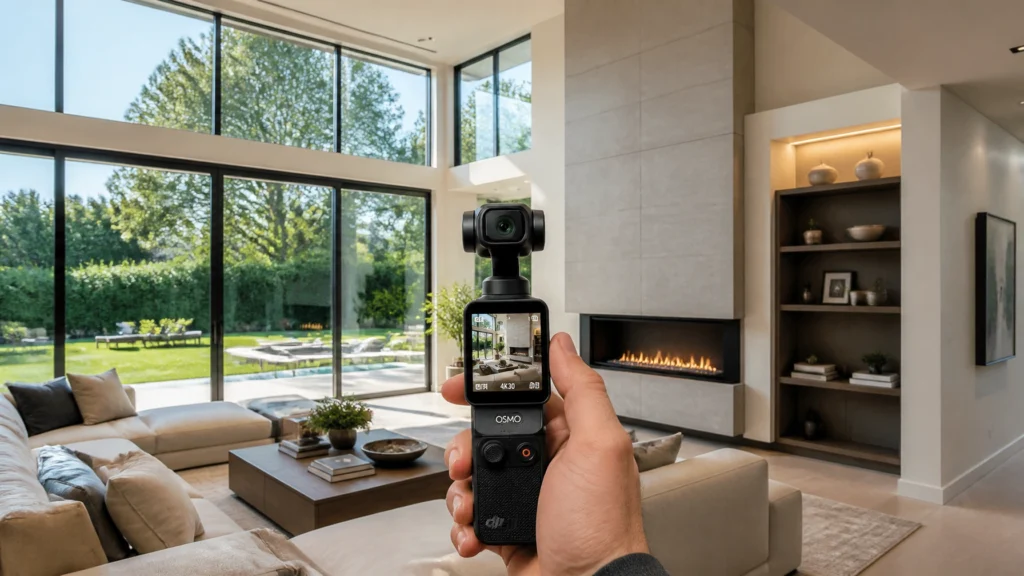
The DJI Osmo Pocket 4 is the most efficient video tool ever created for real estate photographers. It combines a professional 1-inch sensor with a 3-axis mechanical gimbal in a device that fits in your pocket.
- Who is it for? Any photographer or videographer who wants to offer high-end video walkthroughs and agent branding content without the technical headache of traditional gimbal setups.
- Worth buying today? If you are still using a mirrorless camera on a Ronin-S for basic walkthroughs, this will literally save you hours of work every week.
2. Why I Recommend This Camera
My philosophy at RE Media Systems is simple: Shoot faster, earn more.
In the early days, a video walkthrough was a two-hour ordeal. Between setting up the gimbal, balancing the lens, and managing external audio receivers, I was exhausted before the shoot even started.
The Pocket 4 solves the three biggest “job-site” problems I face daily:
- Zero Setup Time: You pull it out, flip the screen, and you’re recording in three seconds. No balancing required.
- Integrated Audio: The Creator Combo includes the DJI Mic 3, which pairs wirelessly to the camera. No more cables or separate receivers.
- Dynamic Range: The 1-inch sensor finally handles the “Bright Window vs. Dark Interior” battle that used to require hours of color grading.
3. Key Features That Matter for Real Estate

While the spec sheet is long, there are four specific features that actually change the game for property tours:
- 1-Inch CMOS Sensor & 14 Stops of Dynamic Range: This is the big one. In real estate, we are constantly shooting toward bright windows. The Pocket 4 retains detail in the sky outside while keeping the shadows in the room clean.
- 107GB Internal Storage: I can’t tell you how many times I’ve arrived at a shoot only to realize my SD card was still in my computer. The Pocket 4 has enough internal storage for multiple listings, plus a microSD slot for backup.
- ActiveTrack 7.0: If you do agent intros or “talking head” style content, this is a lifesaver. The camera will lock onto the agent’s face and follow them as they walk through the front door, no cameraman needed.
- DJI Mic 3 Integration: It supports 32-bit float internal recording and 4 channels of audio (using the 3 built-in mics plus the transmitter). It is the cleanest, most reliable audio setup I’ve ever used on a job site.
4. Real-World Performance
When you’re walking through a $2-million-dollar listing, you don’t want to be fiddling with menus. Here is how the Pocket 4 performs in the field:
Handheld HDR (Window Performance)
Using the normal color profile with Auto Exposure, the camera does an incredible job of balancing the light. I no longer feel the need to shoot everything in D-Log just to “save” a shot. The 14 stops of dynamic range are a significant jump from previous models, making interior-to-exterior transitions look seamless.
Speed on Site
I can now film a 3,000-square-foot home in about 12 to 15 minutes. Because the camera is so small, I can get into tight powder rooms or laundry areas that a full-sized gimbal simply can’t navigate.

5. Workflow Advantages: The “Vertical First” Era
In 2026, 90% of what my clients want is vertical video for Instagram Reels and TikTok. The remaining 10% is horizontal for the MLS and YouTube.
The Pocket 4 is designed for this. You just flip the screen, and the gimbal automatically adjusts for vertical or horizontal orientation.
My Preferred Settings:
- Resolution: 1080p at 60fps (This allows for 50% slow motion in post-production for that “dreamy” cinematic look).
- Color Profile: Normal (Unless it’s a luxury listing requiring D-Log).
- Gimbal Mode: Tilt Lock (This keeps the horizon level while you walk).
- Rotational Speed: Slow (Makes your pans look much more professional).
The Scott Prokop Shot Order:
- Drone: Exterior context.
- Exterior Approach: Walking toward the front door.
- The Reveal: Front door opens into the main entryway.
- Living/Kitchen: The “Money” rooms.
- Primary Suite: Bed, then the ensuite bath.
- Backyard: Final “wow” shot.
6. Pros and Cons
Pros:
- Incredible Stabilization: Better than any smartphone gimbal combination.
- Audio Quality: The Mic 3 transmitter is best-in-class.
- Fast Offloading: USB 3.1 speeds (up to 800 Mbps) means I can dump a whole day’s work in minutes.
- Internal Storage: Never get “card-locked” again.
Cons:
- Wide Angle Limitation: The built-in lens is 20mm. While great, you sometimes need the magnetic wide-angle adapter for tiny bathrooms, though it can add slight distortion at the edges.
- Fixed Aperture: You can’t change the f/stop, so you’ll need ND filters for sunny exterior shots to keep your shutter speed correct.
7. Who Should Buy This Camera?
- The Solo Operator: If you are doing 3-5 shoots a day, this will save your back and your schedule.
- The Content Creator: Perfect for agents who want to film their own “Day in the Life” or quick property highlights.
- The Scaling Media Company: This is the perfect “Standard Issue” camera for hiring and training new videographers quickly.
8. Recommended Accessories
If you are buying this, get the Creator Combo. It includes:
- DJI Mic 3 Transmitter: Essential for agent audio.
- Mini Tripod: For steady shots and time-lapses.
- Magnetic Fill Light: Great for brightening up dark closets or pantries.
- Battery Handle: Gives you hours of extra shooting time.
9. Alternatives
- iPhone 17 Pro + DJI Osmo Mobile: A solid budget choice, but you will fight with lens switching and thermal overheating in the summer.
- Sony A7SIII + RS4 Gimbal: The gold standard for high-end cinema, but it takes 10x longer to set up and costs 5x as much.
10. FAQ: Common Questions
Q: Do I need to shoot in 4K?
A: Honestly? No. 1080p at 60fps is perfect for social media and looks great on a phone or laptop where most people view listings.
Q: Can it handle low light?
A: Yes, the 1-inch sensor is a beast in low light compared to an iPhone or GoPro.
Q: How do I transfer files?
A: I use the USB-C cable directly to my Mac. It’s faster than using the app or pulling the SD card.
Q: Is the wide-angle lens necessary?
A: Only for very small rooms. I use the standard lens for 90% of the shoot to avoid distortion.
Q: Can I use it for photos?
A: You can, but I still recommend a dedicated mirrorless camera like a Sony A7IV for your stills.
Final Recommendation
The DJI Osmo Pocket 4 isn’t just a camera; it’s a productivity tool. It allows you to deliver a professional-grade video walkthrough in the time it used to take just to calibrate your gimbal. If you want to increase your profitability in 2026, this belongs in your bag.
Ready to upgrade your video game?
Watch my full video review on YouTube to see this camera in action on a real listing, or check out our Recommended Gear List for my full kit setup.