
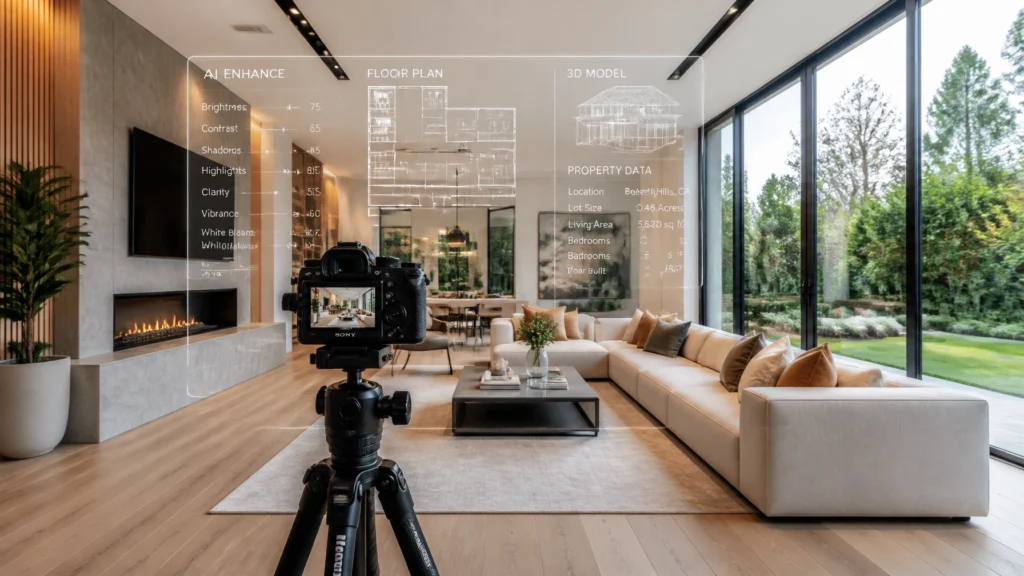
Quick Verdict: AI is Your New Intern
If you’ve been in the real estate media game for more than a minute, you’ve probably heard the whispers, or the shouts, that AI is coming for our jobs. After 14 years in the field and over 10,000 homes photographed, I’m here to tell you: AI isn’t the enemy; it’s the intern you’ve always wanted.
It doesn’t sleep, it doesn’t complain about “blue sky replacements,” and it works for pennies on the dollar. In 2026, the photographers who are thriving aren’t the ones fighting the tech; they’re the ones using it to offload the busywork. If you want to shoot faster, earn more, and actually see your family in the evenings, you need to stop thinking like a “button-pusher” and start thinking like a “systems-first” business owner. This guide is your roadmap to doing exactly that.
The AI Revolution: Why 2026 is the Year of the “Systems-First” Photographer
When I started shooting homes back in 2010, everything was manual. I’d spend hours hand-blending brackets, meticulously masking windows, and trying to get the white balance just right. It was a grind. It worked for a while, but it wasn’t scalable. You can only work so many hours in a day.
Fast forward to today. The industry has shifted. We aren’t just selling “pretty pictures” anymore; we are selling efficiency and data. Real estate agents are busier than ever, and they need a partner who can deliver a full media suite, photos, floor plans, video, and staging, by the next morning.
In 2024, I was honored to be named the PFRE Photographer of the Year, and if I’m honest, it wasn’t just because I have a good eye. It was because I have better systems. AI has allowed me to maintain a massive volume without sacrificing quality.
Being a “Systems-First” photographer means you prioritize the workflow over the manual labor. You use AI to handle the 80% of repetitive tasks so you can focus on the 20% that actually requires your creative eye, composition, lighting, and client relationships.
Scott’s Field Notes
“I used to fear AI would replace my skill. Now, I realize it just replaces my busywork. If it takes the AI 3 minutes to do what took me 3 hours, I’m not a ‘cheat’, I’m a business owner.”
AI in the Field: How CubiCasa and Handheld HDR Changed the Game
The “on-site” portion of our job used to be the biggest bottleneck. If a shoot took two hours, you could only do three or four a day. AI has slashed that time in half.
The Floor Plan Revolution with CubiCasa
Gone are the days of lasers and graph paper. I now use CubiCasa (via HDPhotoHub) on every single shoot. It’s an AI-powered app that lets you scan a house just by walking through it with your phone.

The AI takes that video scan and generates a professional, CAD-quality floor plan with room measurements in about 24 hours. It’s an easy $50–$100 add-on for every listing that takes me exactly five minutes to perform. If you aren’t offering floor plans in 2026, you are leaving thousands of dollars on the table.
Handheld HDR: The Speed Multiplier
Because AI editing tools are now so good at aligning images and removing “ghosting” (movement in the frame), I’ve ditched the tripod for about 80% of my interior work. Using a fast camera like the Sony A7 IV or the Sony A6700, I can fire off 5-step brackets handheld.
The AI later merges these perfectly. This shift alone allows me to move through a 2,000-square-foot home in 20 minutes instead of 45. That’s the difference between doing four shoots a day and doing eight.
The AI Editing Engine: Using AutoHDR to Reclaim Your Evenings
Editing is where real estate photographers go to die. It’s the most time-consuming, soul-crushing part of the business. Or, at least, it used to be.
I’ve moved almost my entire high-volume workflow to AutoHDR.
How the AutoHDR Workflow Works:
- Upload Brackets: I finish my day, dump my cards, and upload the raw brackets directly to AutoHDR.
- AI Processing: The engine merges the HDR, corrects the verticals (no more wonky walls!), replaces the sky with a beautiful blue one, and pulls the windows so you can actually see the view outside.
- Consistency: Unlike human editors who might have an “off day,” the AI is perfectly consistent. Every kitchen looks like it belongs in the same house.
- Human Review: The best part? AutoHDR has a layer of human quality control. It’s the perfect hybrid.

By using AutoHDR, I’m getting my photos back in a fraction of the time it would take to outsource to a traditional editing house, and for a fraction of the cost. This is how you scale. You stop being the editor and start being the creative director.
High-Margin AI Services: Virtual Staging and Virtual Twilight
If you want to earn more without spending more time on-site, you need high-margin digital services.
Virtual Staging with Fotello
Staging a home with real furniture can cost an agent $2,000+. Fotello or Virtual Staging AI lets me do it for $20–$30 per room.

AI staging has improved drastically. It used to look like a bad video game; now, it’s nearly indistinguishable from reality. The AI understands the lighting in the room and casts realistic shadows under the virtual sofa. I can offer a “Virtual Staging Package” that adds $150 to my invoice but takes me 10 minutes of “clicking and dragging” at my desk.
Virtual Twilight
We all know the “Golden Hour” is the best time to shoot, but we can only be at one house at sunset. AI allows me to take a photo shot at 2:00 PM in harsh sunlight and turn it into a stunning twilight shot with glowing windows and a purple sky. This is a high-value upsell that agents love for their luxury listings.
AI in the Office: Using ChatGPT for Marketing, Client Comms, and SEO
Most photographers are great at taking photos but terrible at the “business” side of things. This is where ChatGPT becomes your COO (Chief Operating Officer).
1. Marketing and SEO
I use ChatGPT to write my blog posts, Instagram captions, and Google Business Profile updates. For example, I can feed it a list of neighborhoods I shot in this week and ask it to: “Write a 500-word blog post about the real estate market in Saskatoon, mentioning my photography services, and optimized for keywords like ‘best real estate photographer in Saskatchewan’.”
2. Client Communications
Writing emails to agents can be a chore. I have ChatGPT templates for:
- Following up on unpaid invoices.
- Explaining why a shoot was delayed due to weather.
- Asking for a 5-star Google review.
Scott’s Field Notes
“When using ChatGPT for realtor emails, don’t just copy and paste. Give it your voice. I always tell it to ‘sound like a 14-year veteran who’s shot 10,000 homes but still loves the craft.’ The results are much better.”
3. Workflow Automation
Using tools like Zapier, you can connect your AI tools. For example: When a client books via HDPhotoHub, ChatGPT can automatically draft a “Shoot Prep Guide” and email it to the homeowner so the house is ready when you arrive.
The Future: What’s Next for AI in Real Estate Media?
We are just scratching the surface. Looking toward 2027 and beyond, here is what I’m watching:
- AI-Generated Video Walkthroughs: We are starting to see tools that can take 20 still photos and generate a cinematic video walkthrough that looks like it was shot on a gimbal. While it’s not quite “there” yet for high-end work, it’s coming.
- 3D Mapping and Digital Twins: AI is making it easier to create “Digital Twins” of homes that aren’t just 360 tours but actual 3D models where buyers can measure the distance between a wall and a fridge with millimeter accuracy.
- AI Voiceovers: I already use AI to generate professional voiceovers for my property videos. No more hiring expensive voice talent; I can get a “luxury” British or “friendly” American voiceover in seconds for $5.

Ethics and Disclosure: How to Stay Transparent with Clients
With great power comes great responsibility. As AI becomes more prevalent, trust becomes your most valuable currency.
In 2026, many MLS boards are starting to require disclosure for AI-modified images. Here is my rule of thumb:
- Clean up, don’t lie: Using AI to remove a trash can or a sensor spot is fine. Using AI to remove a permanent power line or a neighboring house that blocks the view is misleading.
- Label Virtual Staging: Always add a small watermark or a note in the description that says “Virtually Staged.” It prevents awkward conversations when a buyer walks into an empty house.
- Be Honest with Agents: I tell my clients, “I use AI to deliver your photos faster and keep your costs down while maintaining my high standards.” They don’t care how the sausage is made; they just want it to taste good and be delivered on time.
For more on this, check out our guide on AI Real Estate Photo Disclosure Laws in 2026.
Your AI Implementation Roadmap: The 30-Day Plan
Don’t try to do everything at once. You’ll burn out. Follow this step-by-step plan:
Days 1–10: The Low-Hanging Fruit
- Sign up for CubiCasa and start scanning every house. Offer it for free for two weeks to get your agents hooked.
- Start using ChatGPT to write your social media captions.
Days 11–20: The Editing Pivot
- Take 5 past shoots (the raw brackets) and run them through AutoHDR.
- Compare the results to your manual edits. If they are 95% as good, you’ve just found your new editing workflow.
Days 21–30: The Upsell Phase
- Experiment with Fotello for virtual staging.
- Create a “Premium Media Package” that includes photos, a floor plan, and 2 virtually staged images.
Internal Resources for Your Journey
To truly master the “Systems-First” approach, check out our other pillars:
- Drone Guide: Mastering the DJI Air 3S for Real Estate
- HDR Guide: Why I Stopped Using a Tripod for HDR
- Pricing Guide: How AI Editing Changes Your Pricing Strategy
- Gear Guide: The Recommended Gear for 2026
- Editing Workflow: The Complete 2026 Editing Framework
- Media Services Hub: The Complete Guide to Real Estate Media Services
- 60-Minute Workflow: How to Shoot a Home in Under an Hour
- Getting First 25 Clients: Scaling from Zero to Full-Time
FAQ: AI for Real Estate Photography
1. Will AI replace real estate photographers?
No. AI can’t drive to a house, talk to a nervous homeowner, move a distracting chair, or fly a drone. AI replaces the labor, not the professional.
2. Is AI editing as good as human editing?
In many cases, it’s better because it’s consistent. For high-end luxury (“flambient”) work, a human eye is still superior, but for 90% of standard listings, AI like AutoHDR is the winner.
3. How much does AI editing cost?
Most AI services cost between $0.40 and $1.00 per image. This is significantly cheaper than hiring a domestic editor or even most offshore teams.
4. Does AI virtual staging look fake?
It used to. Today’s AI, like Fotello, uses advanced depth-mapping to ensure furniture looks grounded and realistic.
5. Can I use AI to remove objects from photos?
Yes, tools like Photoshop’s Generative Fill are incredible for removing cars from driveways or clutter from counters. Just remember the ethical line regarding permanent features.
6. Do I need a special camera for AI photography?
Not necessarily, but cameras with fast burst rates and good dynamic range (like the Sony A7 IV) make the handheld HDR workflow much easier for the AI to process.
7. How do I disclose AI use to my clients?
Be proactive. Include a note in your terms of service or on your website that you use AI tools for enhancement, floor plan generation, and staging.
8. Is CubiCasa accurate?
Yes, CubiCasa is accurate within about 95-98% of manual measurements, which is more than enough for MLS and marketing purposes.
9. What is the best AI tool for video?
DaVinci Resolve Studio has incredible AI features for voice isolation, object removal, and auto-captioning.
10. Can ChatGPT help with my SEO?
Absolutely. Use it to generate meta descriptions, blog topics, and keyword-rich service pages for your website.
11. Is AI staging legal?
Yes, as long as it is disclosed and you aren’t hiding structural defects.
12. Does AI work for drone photos?
Yes, AutoHDR and other tools work great for balancing the bright sky and darker ground in aerial shots.
13. How much time can AI save me per week?
If you shoot 10 homes a week, switching to an AI workflow can save you 15–20 hours of editing and admin time.
14. What happens if the AI makes a mistake?
This is why human review is still necessary. Always check your AI-generated floor plans and photos before delivering them to the client.
15. Is AI expensive to implement?
Most AI tools have a “pay-per-use” or low monthly subscription model. You only pay for what you use, making it very low-risk.
Final Recommendation: Adapt or Fade Away
The real estate media industry is changing faster than ever. You can either be the photographer who complains about “the good old days” or the one who leverages every tool available to build a massive, profitable business.
My advice? Start today. Pick one tool: whether it’s AutoHDR or CubiCasa: and integrate it. Your future self (who actually gets to go to sleep before midnight) will thank you.
Ready to scale?