
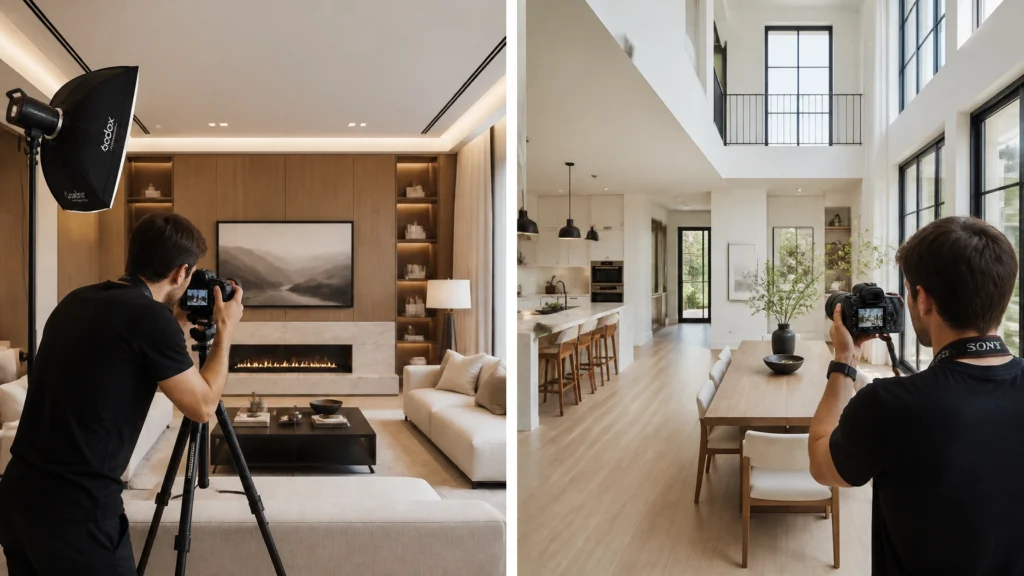
If you step into any real estate photography forum, you’ll find a war raging. In one corner, you have the "Flambient" purists who swear that if you aren't using off-camera flash, you aren't a "real" professional. In the other corner, you have the efficiency experts who have ditched the tripod and the flashes to shoot handheld HDR.
After 14 years in this industry and more than 10,000 homes photographed, I’ve been in both corners. I spent years hauling around two Godox V860 III units and a heavy Manfrotto 055 tripod to every single shoot. I thought the "polish" of flash was the only way to justify my rates.
Then I did the math.
In this guide, we’re going to break down the ROI of speed versus the polish of flash. We’ll look at why I eventually chose handheld HDR for my primary workflow and how you can use modern tools like AutoHDR to get luxury-level results without the 2-hour on-site grind.
Quick Verdict: The ROI of Speed vs. The Polish of Flash
If you want the short version, here it is:
- Handheld HDR is for the photographer who wants to build a scalable, highly profitable business. It allows you to shoot 5-8 homes a day, minimizes physical fatigue, and produces results that 95% of real estate agents and buyers cannot distinguish from flash.
- Flash (Flambient) is for the photographer focusing on ultra-high-end architectural work or those who enjoy the "craft" of lighting more than the "business" of volume. It offers superior color accuracy and window views but at a significant cost to your hourly rate.
Scott’s Pick: Unless you are shooting for Architectural Digest, Handheld HDR is the superior business workflow. Speed is your biggest profit lever.
The Great Debate: Why Photographers Fight Over This
The debate between HDR and Flash usually centers on "Quality." Flash proponents argue that ambient-only HDR results in muddy colors, "nuclear" window glows, and a lack of depth. They aren't entirely wrong, bad HDR is terrible.
However, the "Flash is King" argument often ignores the business reality of real estate. Most agents need photos that are "Great, Fast, and Fairly Priced." They don’t need a three-point lighting setup for a 1,200-square-foot bungalow.
When you spend 90 minutes on a shoot that could take 20 minutes, you aren't just "providing quality", you are paying yourself a lower hourly wage.

Pros and Cons: Handheld HDR
The Power of the 30-Minute Shoot
The biggest advantage of handheld HDR is speed. When I switched from flash on a tripod to handheld HDR, my on-site time dropped by 60%. I could walk into a standard 2,500 sq. ft. home and be back in my truck in 25 minutes.
Field Note: "I spent years hauling around two AD200s and a tripod for every shoot. When I switched to handheld HDR, my income per hour doubled. Unless you're shooting for Architectural Digest, speed is your biggest profit lever."
No Tripod Required
Modern cameras like the Sony A7 IV have incredible In-Body Image Stabilization (IBIS). When you shoot brackets (typically 5 shots at 2EV increments), you can fire them off in a fraction of a second. As long as you have a steady hand, the software will align them perfectly. Ditching the tripod means you can get into tight corners, adjust heights instantly, and move through a house like a ninja.
Lower Gear Costs
You don't need flashes, triggers, light stands, or modifiers. Your kit becomes a camera, a wide-angle lens (like the Sony 16-35mm f/2.8 GM II), and a handful of batteries.
Consistency Across 10,000 Homes
HDR provides a predictable baseline. Whether it's a sunny day or a dark basement, the camera's auto-bracketing captures the data you need every single time.
The Cons:
- Color Casts: Mixed lighting (warm indoor bulbs vs. blue window light) can cause orange or blue streaks.
- Window Bloom: Extremely bright windows can "bleed" into the interior frames if not handled correctly in post.
Pros and Cons: Flash (Flambient)
"Flambient" is the process of taking one ambient shot and one (or more) flash shots and blending them in Photoshop.
Color Accuracy
Flash is the ultimate color corrector. By popping a Godox V1 at the ceiling, you neutralize the "orange" from tungsten lights and get crisp, clean whites. This is the main reason luxury photographers love it.
Luxury Feel
Flash allows you to "pop" certain areas of a room, a nice backsplash, a textured fireplace, or a view of the pool. It adds a level of three-dimensional depth that is harder to achieve with pure ambient light.
The Time Penalty
This is the dealbreaker for most. To shoot flambient, you must use a tripod. You have to set the flash, walk around the room to avoid reflections, and often take 3-5 times more photos per room than HDR.
The Cons:
- On-site Time: A 30-minute shoot becomes a 90-minute shoot.
- Post-production: Blending flambient layers manually in Photoshop is a slow, specialized skill. Even with "overseas editors," the cost per image is higher because the work is more complex.
Editing Time Comparison: Manual vs. AI
The traditional argument was: "HDR is fast to shoot, slow to edit. Flash is slow to shoot, fast to edit."
In 2026, that argument is dead.
AI has flipped the script. If you shoot HDR brackets, you can upload them to a service like AutoHDR or use AI-powered Lightroom plugins. The AI handles the window pulls, fixes the color casts, and aligns the handheld shots in seconds.

If you are shooting flambient, you are still largely tied to manual masking or very expensive specialized editors. AI is getting better at flambient, but it’s not yet as seamless or as cheap as HDR processing.
Speed & Profitability: The Math Behind the Workflow
Let’s look at the numbers. Assume you charge $200 for a standard shoot.
| Metric | Handheld HDR | Flash (Flambient) |
|---|---|---|
| On-site Time | 30 Minutes | 90 Minutes |
| Travel Time | 30 Minutes | 30 Minutes |
| Editing Time (AI) | 10 Minutes | 40 Minutes (Manual/Outsourced) |
| Total Time | 70 Minutes | 160 Minutes |
| Revenue | $200 | $200 |
| Hourly Rate | $171/hr | $75/hr |
By choosing handheld HDR, you are effectively doubling your hourly rate. You can fit two HDR shoots in the time it takes to do one flambient shoot.
Which Photographers Benefit from Each?
The Solo Operator (The "Efficient Pro")
If you are a solo photographer looking to maximize income while still having time to see your family, Handheld HDR is the only way to fly. It allows you to scale without needing a team of 10 editors.
The Luxury Agency
If your brand is "The most expensive photographer in town" and you charge $1,000+ per listing, Flash/Flambient is your tool. At that price point, the client expects you to spend 3 hours on-site "crafting" the light.
Personal Experience: Why I transitioned to Handheld HDR
I spent the first half of my career as a "tripod and flash" guy. I even won awards for my lighting techniques (including PFRE Photographer of the Year 2024). But as my business grew, I realized I was the bottleneck. I couldn't shoot more than 3 houses a day without being physically exhausted from moving the tripod and light stands.
I started experimenting with handheld HDR and realized that with the right settings and AI-powered editing, my clients didn't notice a drop in quality. In fact, they loved that I was in and out of the house faster, allowing them to get back to their day.
Field Note: "If you're worried about color accuracy in HDR, just remember: AI tools like AutoHDR now do a better job with window pulls and color balancing than most human editors can do with flambient."
The AI Factor: How AutoHDR Bridges the Gap
The "HDR look" used to mean crunchy, surrealistic, and ugly photos. That is no longer the case. Tools like AutoHDR use neural networks to understand what a "natural" home should look like. They can intelligently pull the blue sky from the brightest bracket and the shadow detail from the darkest bracket, blending them with a "flambient-style" color balance.
It essentially gives you the "Flash look" with "HDR speed."

FAQ: Handheld HDR vs. Flash
1. Can I really shoot handheld? Won't the photos be blurry?
Yes, you can. With a shutter speed of 1/60s or faster and modern IBIS, your camera will easily handle the brackets. For darker rooms, you might need to bump your ISO to 400 or 800, which modern sensors handle beautifully.
2. What about window views? HDR windows usually look "glowy."
This is where AI comes in. Tools like AutoHDR or specialized editing workflows ensure the windows look crisp and natural.
3. Do I need a specific camera for handheld HDR?
Any modern mirrorless camera works, but I recommend the Sony A7 IV or the Sony A6700 for their incredible autofocus and bracketing speed.
4. How many brackets should I shoot?
For most homes, 5 brackets at 2EV increments (-4, -2, 0, +2, +4) will cover everything from the brightest sun to the darkest corner.
5. What if the room has orange light bulbs?
AI editing is very good at neutralizing white balance. If it's extreme, you can always turn the lights off and shoot pure natural light, an HDR workflow makes this easy.
6. Is Flambient dead?
Not at all. It’s still a valid technique for high-end architecture, but for standard real estate, it’s no longer the most profitable choice.
7. Does handheld HDR work for exteriors?
Absolutely. I shoot almost all my exteriors handheld. It allows me to quickly move around to find the best angles without dragging a tripod through the grass.
8. What lens do you recommend for this?
The Sony 16-35mm f/2.8 GM II is the gold standard. For a more budget-friendly option, the Tamron 17-28mm f/2.8 is excellent.
9. Do I need a tripod for video?
Usually, yes, unless you are using a gimbal like the DJI RS 5 or the DJI Osmo Pocket 4.
10. How do I handle reflections in HDR?
Reflections are actually easier to manage handheld because you can slightly shift your position to hide yourself or the camera in a door frame or behind furniture.
11. Is HDR "cheating"?
No. It’s technology. Is using a microwave "cheating" at cooking? It’s a tool used to achieve a specific result efficiently.
12. Will agents pay the same for HDR as they do for Flash?
Yes. Agents pay for the result and the experience. If the photos look great and you are professional and fast, they don’t care if you used a flash or a magic wand.
13. What editing software is best for HDR?
I recommend Adobe Lightroom for organization and AutoHDR for the heavy lifting of merging and color correction.
14. Can I use a flash with HDR?
Yes, this is a hybrid approach. Some photographers shoot HDR but pop a single flash for the main living room to ensure the colors are perfect.
15. How do I learn the handheld HDR workflow?
Check out our Complete HDR Real Estate Photography Guide for a step-by-step breakdown.
Final Recommendation
If you are just starting out or looking to grow your business into a high-revenue machine, master the Handheld HDR workflow. It is the most efficient, scalable, and profitable way to shoot real estate today. Leave the flashes in the bag for the $5 million mansions. For everything else, drop the tripod, speed up, and start earning what your time is actually worth.
Ready to overhaul your workflow?
- Download our Free 30-Minute Shoot Blueprint™.
- Watch: Drop Your Tripod: Shoot Faster, Earn More with HDR!
- Watch: Stop wasting time with Flambient. Do this instead!
- Explore our Recommended Gear List.
Join the RE Media Systems newsletter for weekly tips on how to shoot faster, earn more, and build a better business.