
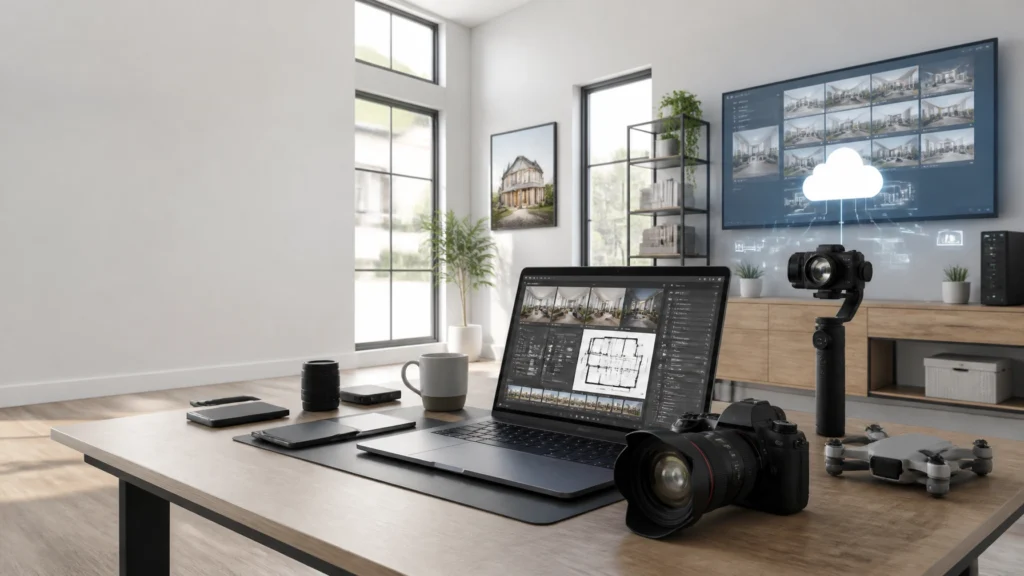
After more than 14 years in real estate media and over 10,000 homes photographed, I have learned that the best technology stack is not the one with the most tools.
It is the one that helps you move from booking to capture to editing to delivery with fewer decisions and fewer bottlenecks.
This is the nine-part real estate media stack I use and recommend for building a faster, more consistent business in 2026.
Some photographers will need every tool listed here. Others can start with only the capture and editing essentials. The important thing is to understand what each tool does for the business, and whether it solves a problem you actually have.
The 9-Tool Real Estate Media Stack
| Workflow area | Primary tool | Main business benefit |
|---|---|---|
| Camera | Sony mirrorless system | Consistent image quality and reliable capture |
| Wide lens | Sigma 14–24mm f/2.8 | Covers interiors efficiently without changing lenses |
| Drone | DJI Air 3S | Fast aerial capture with flexible perspectives |
| Video | DJI Osmo Pocket 4 | Smooth walkthroughs with minimal setup |
| Editing | AutoHDR + Lightroom/Photoshop | Faster processing with professional finishing control |
| Floor plans | CubiCasa | Adds a useful listing deliverable with a simple scan |
| Delivery | HDPhotoHub | Organized client delivery and repeatable packaging |
| AI assistant | ChatGPT | Speeds up communication, documentation, and marketing support |
| Cloud storage | Dropbox | Keeps jobs organized, backed up, and accessible |
1. Sony Camera System
My primary camera system is Sony. The Sony A7 V is the current main body in my workflow, while the Sony A7 IV remains a strong option for photographers who want professional full-frame quality at a lower cost.
For real estate photography, I care less about impressive specifications and more about:
- Dynamic range in rooms with bright windows
- Reliable performance across a full day of shoots
- Fast operation when working through a property
- Consistent color and image quality
- Strong autofocus for hybrid photo and video work
A camera earns its place when it produces dependable files repeatedly. That reliability has more business value than a feature you rarely use.
Who should use it: Photographers building a serious full-time business, especially those working with HDR, video, and high-volume residential listings.
Alternative: The Sony A7 IV is a practical alternative. You can also build a strong Canon or Nikon system, but changing systems is rarely worth it unless your current equipment is limiting your work.
ROI consideration: A reliable camera helps protect consistency and reduce missed shots, reshoots, and time spent correcting poor source files.
2. Sigma 14–24mm f/2.8 Wide Lens
The wide lens is just as important as the camera body. For this stack, the Sigma 14–24mm f/2.8 is the primary ultra-wide option.
The lens helps me cover tight rooms, bathrooms, kitchens, and open living areas without constantly changing lenses. The 14–24mm range also gives me flexibility: 14mm can solve a difficult space, while 20–24mm can provide a more natural perspective when the room allows it.
The goal is not to make every room look enormous. Use the widest focal length that shows the space clearly while keeping distortion under control.
Who should use it: Full-frame Sony photographers who regularly photograph interiors and need a flexible ultra-wide zoom.
Alternatives: The Sony FE 16–35mm f/2.8 GM II offers a useful range with excellent quality. The Sony FE 12–24mm goes wider for especially tight spaces.
ROI consideration: A flexible wide zoom can reduce lens changes and help you solve compositions faster. It also supports consistent framing from room to room.
3. DJI Air 3S
The DJI Air 3S is my primary drone for real estate work.
I value it because it is quick to deploy and gives me multiple focal-length options. That matters when I am working through a busy day and need strong aerial coverage without turning the drone portion of the shoot into a separate production.
A standard aerial set might include:
- Front and rear oblique views
- A straight-down property view
- Neighborhood context
- Lot boundaries or surrounding features
- A wider establishing image
Always follow local aviation rules, property permissions, and applicable licensing requirements.
Who should use it: Photographers offering aerial photography as part of a complete listing package, particularly those working on larger properties or listings where location matters.
Alternative: The DJI Mini 5 Pro is a lightweight option for tighter neighborhoods, travel, and quick-deploy work.
ROI consideration: A repeatable aerial shot list lets you offer a valuable add-on without spending excessive time deciding what to capture.

4. DJI Osmo Pocket 4
For walkthrough video, I use the DJI Osmo Pocket 4 Creator Combo.
Its compact design and built-in 3-axis gimbal make it practical for moving through a home quickly. I do not need to carry a large cinema rig for every standard listing video, and that helps keep the production efficient.
The Creator Combo is particularly useful because the microphone and fill light help complete the basic setup. Clean movement matters, but clean audio matters too if the agent is narrating or appearing on camera.
Who should use it: Photographers adding walkthrough videos, vertical social clips, or simple agent content without wanting a complicated video rig.
Alternatives: A larger mirrorless camera on the DJI RS 5 can provide more control for premium productions. The Pocket 4 is usually faster for everyday listing work.
ROI consideration: Compact equipment makes it easier to include video consistently instead of treating every video request as a major production.
5. AutoHDR, Lightroom, and Photoshop
Editing is where many photographers lose their margin.
My editing workflow combines AutoHDR with Adobe Creative Cloud, including Lightroom and Photoshop.
AutoHDR handles much of the repetitive bracket processing. Lightroom is useful for organization, batch adjustments, color, cropping, and export control. Photoshop remains important for detailed cleanup, difficult window blends, and final corrections.
This is not about pressing a button and delivering whatever comes out. It is about using automation for repetitive work while keeping a quality-control step.

Who should use it: Any photographer processing regular volume, especially those trying to reduce editing time without lowering standards.
Alternatives: Lightroom HDR Merge can be enough for smaller workloads. Outsourcing may make sense when editing is preventing you from shooting or selling.
ROI consideration: Measure the stack by the time it removes from each job. If automation reduces repetitive work but still produces files that need extensive correction, it is not actually saving you time.
6. CubiCasa for Floor Plans
I include a premium floor plan with every listing package.
CubiCasa is useful because the capture process is straightforward and the floor plan becomes another professional deliverable in the listing package. It can also help agents and buyers understand how the property connects beyond individual photographs.
Floor plans do not guarantee more bookings or higher conversion rates. Their value depends on the property, the client, the market, and how the deliverable is presented.
Who should use it: Photographers who want to add floor plans without purchasing a dedicated scanning camera system.
Alternatives: iGUIDE and Matterport can be better fits when clients need more detailed measurement, interactive tours, or a broader property-data product.
ROI consideration: The business value comes from packaging and fulfillment. Add the floor plan to your service structure, capture it as part of the walkthrough, and avoid treating it as a last-minute extra.
CubiCasa pricing disclaimer: Pricing and available services can change. Verify current CubiCasa pricing directly with CubiCasa before making purchasing or package decisions.
7. HDPhotoHub
I use HDPhotoHub for delivery and client management because a professional media business needs more than a folder of files.
A delivery platform helps organize:
- Photo galleries
- Floor plans
- Video files
- Download instructions
- Client-facing project information
- Repeatable package templates
The smoother the delivery experience, the less time you spend answering basic questions after the job is complete.
Who should use it: Photographers who want a consistent delivery process or are beginning to manage enough volume that manual file sharing is becoming messy.
Alternatives: Aryeo and Spiro are also worth comparing based on booking, client-management, and delivery features.
ROI consideration: The return is not only time saved. A polished delivery system also reduces mistakes and creates a more professional client experience.
8. ChatGPT
I use ChatGPT as an assistant, not as a replacement for judgment.
It can help draft:
- Booking and delivery emails
- Follow-up messages
- Social captions
- Listing-media checklists
- Internal standard operating procedures
- Agent education resources
- Service descriptions and package explanations
The key is to provide specific context and review everything before sending it. Never paste confidential client information or private property details into an AI tool without understanding the platform’s privacy settings and your responsibilities.
Who should use it: Any photographer who spends too much time writing repetitive communication or documenting their workflow.
Alternative: A well-organized library of templates may be enough for a smaller business.
ROI consideration: The value comes from reducing blank-page time and making good communication easier to repeat.
9. Dropbox
Dropbox is the cloud-storage layer that keeps the rest of the workflow organized.
I use a master folder for each property with clear sections for:
- RAW photos
- RAW video
- Floor plans
- Lightroom files
- Final exports
- Delivery assets
Cloud storage is not a replacement for a proper local backup. It is one part of a backup strategy. Keep important files in more than one location and verify that synchronization is working.
Who should use it: Every photographer who needs reliable access to active projects, archives, and shared files.
Alternative: Another reputable cloud-storage provider can work if it supports your folder structure, storage needs, and backup process.
ROI consideration: Organized storage reduces time spent searching for files and makes re-delivery or future repurposing much easier.
How the Stack Works Together
The tools become more valuable when they operate as a system:
- Book and prepare the job.
- Capture stills with Sony and the Sigma wide lens.
- Capture aerials with the DJI Air 3S.
- Record walkthrough video with the Osmo Pocket 4.
- Back up the files to Dropbox.
- Process brackets with AutoHDR.
- Finish and export through Lightroom and Photoshop.
- Create the premium CubiCasa floor plan.
- Deliver everything through HDPhotoHub.
- Use ChatGPT to support communication and internal documentation.
For more workflow guidance, read the Complete HDR Real Estate Photography Guide, explore the Recommended Gear, and browse the RE Media Systems Guides.
FAQ
What is the most important tool in a real estate media stack?
Your camera, lens, and capture workflow come first. Software cannot fully rescue inconsistent composition or poor source files.
Do I need all nine tools to get started?
No. Begin with a reliable camera, wide lens, editing system, storage, and delivery process. Add drone, video, floor plans, and AI as your clients and workflow justify them.
Is Sony the only good camera system for real estate photography?
No. Canon and Nikon also make capable systems. Sony is the system used in this workflow because of its reliability, image quality, and hybrid capabilities.
Is the Sigma 14–24mm too wide?
It can be if used carelessly. Use the widest focal length that solves the composition while keeping lines and proportions believable.
Is the DJI Air 3S suitable for every listing?
Not necessarily. Flight restrictions, weather, property location, and client needs all matter. Follow local regulations before flying.
Why use the Osmo Pocket 4 instead of a mirrorless camera?
It is compact, stabilized, and quick to deploy. That makes it practical for consistent walkthroughs and social content.
Can AutoHDR replace Lightroom and Photoshop?
Usually not for a complete professional workflow. AutoHDR can reduce repetitive HDR work, while Lightroom and Photoshop provide organization, finishing, and detailed control.
Should every listing include a floor plan?
In my business, premium floor plans are included in every listing package. The exact product should still match the property, client expectations, and local market.
Does ChatGPT write listing descriptions automatically?
It can help draft them, but the information must be accurate and reviewed by the agent or photographer before publication.
Is Dropbox enough as a backup?
Dropbox should be one part of your backup system, not the only copy of important files. Maintain a separate local or offline backup as well.
How do I calculate the ROI of a tool?
Estimate the monthly cost, the time it saves, the value of that time, and whether it improves quality or creates sellable services. A tool should support margin, capacity, quality, or client experience.
Final Recommendation
A profitable real estate media stack does not require every new camera, app, or AI service.
It requires dependable tools connected by a repeatable workflow.
The Sony and Sigma system handles capture. DJI equipment expands the listing package into aerial and video. AutoHDR, Lightroom, and Photoshop protect editing quality while improving efficiency. CubiCasa adds a premium floor plan, HDPhotoHub organizes delivery, ChatGPT supports communication, and Dropbox keeps the files accessible.
That combination is designed around the question I use for every business decision:
Will this help me shoot faster, earn more, or deliver better quality?
If the answer is no, it probably does not belong in the stack.
Explore the Recommended Gear, review the AI and Automation resources, and subscribe to RE Media Systems for practical systems that help you build a better real estate media business.