
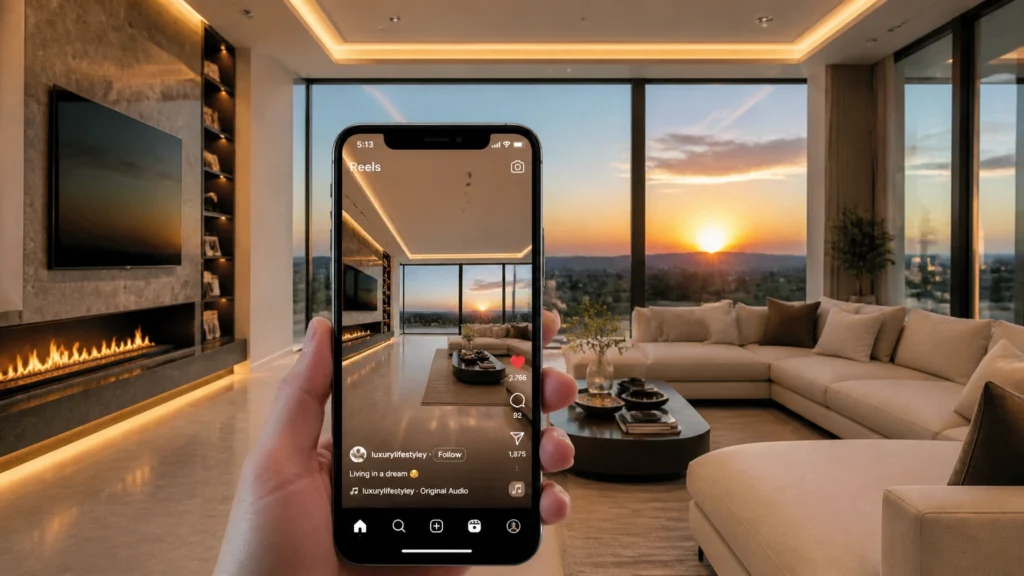
You’re already shooting the photos that could become six days of high-performing video content for your clients, but if you’re like most photographers, you’re leaving that revenue on the table.
In over 14 years of professional real estate photography and more than 10,000 homes photographed, I’ve seen the same pattern over and over: an agent pays for a premium cinematic video, posts it once, and then they’re stuck. They don't want to repost the same video three days later because it looks desperate, so they fall back to posting basic photos that get zero engagement.
The gap between a $500 cinematic video and a free static photo post is massive. Agents need a way to stay visible on social media every single day without breaking the bank or spending hours editing.
Today, I’m going to show you how to bridge that gap. I’m going to show you how I turn 20 existing listing photos into six unique, viral-ready social media reels in about 10 minutes. This isn't just a "cool trick", it's a system that has added thousands of dollars to my annual revenue and turned "photo-only" clients into high-end video buyers.
The Problem: The Real Estate Content Trap
Real estate agents are under immense pressure to be "content creators" on top of being sales professionals. The Instagram and TikTok algorithms demand video, but producing high-quality video is expensive and time-consuming.
Most agents follow this cycle:
- They order professional photos.
- They post 3-5 photos on day one.
- They realize they have nothing else to post for the rest of the week.
- The listing loses momentum.
As photographers, we are in the perfect position to solve this. We already have the high-resolution assets. We already have the trust. The only thing we’ve lacked until now is an efficient way to turn those stills into high-impact video without spending three hours in Adobe Premiere or DaVinci Resolve.
The Solution: Introducing Rendy AI
Rendy is a platform I’ve been using that is specifically built for real estate media professionals. It’s important to note: Rendy is a photographers-only product. This is a huge win for our industry. Because agents can’t sign up for it directly, you can protect your margins and offer it as a premium, white-labeled service.
Unlike the generic "slideshow" apps you’ve seen before, Rendy uses advanced AI to create professional-grade motion. It’s not just "zooming in" on a photo; it’s using beat-syncing, speed ramps, and AI-generated motion like water ripples and fireplace flames to make static images feel alive.
Why This Tool is a "Gateway Drug" for Your Business
One of the most powerful things I’ve discovered since implementing this workflow is what I call the Gateway Drug Effect.
I’ve had multiple agents who never ordered video before start with a small "Reel Pack." Once they saw the massive uptick in engagement and the "eyeballs" they got on their listing, they didn't go back. On their next listing, they skipped the reels and went straight to a full cinematic walkthrough and drone package.
By offering a low-friction, high-impact video product, you are educating your clients on the value of video marketing. You aren't just selling a reel; you’re building a video-buying habit.

The 10-Minute Workflow: How It Works
Efficiency is the core of the RE Media Systems philosophy. If a new service takes two hours to produce, it’s not a system; it’s a burden. Here is exactly how I produce these reels in minutes:
1. Upload Your Best 20 Photos
You don’t need every shot of the laundry room or the pantry. Select your "hero" shots: the exterior, the main living areas, the kitchen, and the primary suite.
2. Choose Your Format
Since these are for social media, you’ll select the "Portrait" (vertical) orientation. Rendy will automatically crop and frame your photos to fit the 9:16 aspect ratio used by Instagram Reels and TikTok.
3. Let the AI Render
It takes about five minutes for the system to process the 20 photos. During this time, the AI is analyzing the architecture of the rooms, identifying where windows are, and deciding which camera movements (push, slide, or orbit) will look most natural.
4. Review the "Six-Pack"
The system doesn't just give you one video. It generates six different versions. Each version has:
- Different Music Tracks: From high-energy beats to elegant, cinematic scores.
- Different Pacing: Some are fast-cut "hype" videos, while others are slower, more atmospheric tours.
- Unique Hooks: The AI places different "scroll-stopping" effects at the beginning of each reel.
5. Add Custom Branding
This is where you make it feel premium. You can upload a 5-second video clip as a custom outro. I personally use CapCut to create a simple branded bumper with the agent's headshot, logo, and contact info. Rendy saves this under your "Branding" tab, so you can just pop it onto every reel with one click.
The Visual Hooks That Stop the Scroll
To win on social media, you need to stop the person from scrolling within the first 1.5 seconds. Rendy includes several AI-powered effects that do this better than any manual edit I’ve seen:
- Day-to-Night (Virtual Dusk): This is my favorite. It takes a bright daylight exterior and transforms it into a glowing twilight shot. Lights turn on in the windows, the sky shifts to a deep blue, and the whole property looks high-end.
- The House Drop: This makes the entire house look like it’s dropping from the sky onto the lot. It’s playful, high-tech, and impossible to ignore.
- Earth Zoom: This starts with a satellite view of the city and zooms rapidly down into the front yard of the listing. It establishes location instantly and looks like it cost thousands in custom animation.
- Living Elements: The AI can detect fireplaces and swimming pools, adding realistic flickering flames or water ripples. These subtle motions trick the brain into thinking it’s watching high-frame-rate video rather than a photo.

The Business Math: Adding $18,000/Year to Your Bottom Line
Let's talk about the ROI. In this business, we want to shoot faster and earn more.
- The Cost: If you are on a bulk plan with a tool like Rendy, your cost is approximately $15 per listing.
- The Price: I recommend selling the "Social Real Six-Pack" for $75 as an add-on.
- The Profit: That’s a $60 profit margin for 10 minutes of work that you do while sitting at your desk.
The Scaling Math:
- 5 Packs per month: $375/mo = $4,500 extra per year.
- 20 Packs per month: $1,500/mo = $18,000 extra per year.
Keep in mind, you aren't spending any extra time on-site. You aren't bringing extra gear. You are simply re-purposing the assets you already created during your standard photo shoot.
How to Package and Sell the "Social Re-Pack"
How you name and position this service matters. If you call it "AI Slideshow," you’ll get zero bites. Here are three ways to sell it:
1. The "Social Re-Pack" (Standalone Add-on)
Market this as a way for agents to have a full week of social media content ready to go. "I'll give you six unique reels so you can post every day from Monday to Saturday without ever repeating yourself."
2. The "Social Media Plus" (Bundled Package)
Create a middle-tier package that includes Photos + Floor Plan + Social Re-Pack. This makes the package feel incredibly comprehensive. When agents see the volume of deliverables they get for the price, it becomes a no-brainer.
3. The "Over-Deliver" Strategy
Sell a "3-Reel Pack" for $75, but deliver all six. This costs you nothing extra, but the "surprise and delight" factor for the agent is massive. They feel like they got a 2-for-1 deal, which builds incredible loyalty.
4. The "Sitting Listing" Re-Engagement
This is a pro tip for slower months. Look at your past clients and see whose listings have been sitting on the market for 30+ days. Send them a quick email:
"Hey [Agent Name], I noticed 123 Main St is still active. I want to help you get some fresh eyes on it. I can take the photos we shot and turn them into a Social Media Reel Pack to help spark some new interest. Normally $75, but I can get it to you by tomorrow morning."
This is an easy win that shows you care about their success, not just your paycheck.
Implementation: Integrating Into Your Existing Workflow
To make this work, you need a solid delivery system. I personally use HDPhotoHub for all my photo delivery and client management. It allows me to host the videos alongside the photos so the agent can download everything in one place.
Once my photos are back from my editors, usually edited in Adobe Lightroom, I select my top 20, upload them to the AI tool, and by the time I’ve finished my second cup of coffee, the reels are ready. I upload them to my delivery portal, and the client gets a notification that their "Social Media Kit" is ready for download.

Recommended Gear for Reel-Ready Photos
While the AI does the heavy lifting, the quality of the reels depends on the quality of your base photos. You want crisp, well-exposed HDR images with perfectly straight vertical lines.
- Camera: I’m a big fan of the Sony A7 IV for its incredible dynamic range, which helps the AI identify details in shadows and highlights.
- Lens: Use a high-quality wide-angle lens like the Sony FE 16-35mm f/2.8 GM II to capture enough environmental context for the AI to create smooth orbits and slides.
- Tripod: Consistency is key. I use the Manfrotto 055 Aluminum Tripod with a Manfrotto 410 Junior Geared Head to ensure my compositions are level and professional.
FAQ: Common Questions About AI Reels
Q: Will these reels look like "fake" video?
A: When done correctly with high-quality photos, the motion feels very natural. It mimics a slow gimbal move or a drone slide. It is significantly better than a standard Ken Burns "zoom" effect.
Q: Can I use my own music?
A: Yes, most platforms allow you to swap tracks. However, the AI-synced tracks usually perform better because the cuts happen exactly on the beat of the music.
Q: How do I handle the copyright for the music?
A: Tools like Rendy provide commercially licensed music, so your agents won't get flagged for copyright violations on Instagram or TikTok.
Q: Does this replace cinematic video?
A: No. A cinematic video tells a story with a human touch. These reels are "volume content" designed to keep an agent's feed active. They often serve as a bridge to getting the agent to buy a full video package.
Q: What if the agent wants to edit the reels?
A: You can actually download the 20 individual motion clips and bring them into DaVinci Resolve or Premiere if you want to build a truly custom masterpiece.
Final Recommendation
If you aren't offering social media reels, you are leaving the most in-demand product in the real estate world to chance. Your clients will find someone else to provide this content if you don't.
By using an AI-driven workflow, you can provide massive value, increase your average order value by $75+, and keep your on-site time exactly where it is now. It is the definition of "shooting faster and earning more."
Ready to scale your business?
- Check out my Complete Guide to Real Estate Media Services to see how video fits into a total business system.
- Explore my Recommended Gear list for the exact tools I use to capture "reel-ready" photos.
- Watch the full video tutorial on this workflow on my YouTube channel.
Stop leaving money on the table. Start turning your photos into a viral six-pack today.