
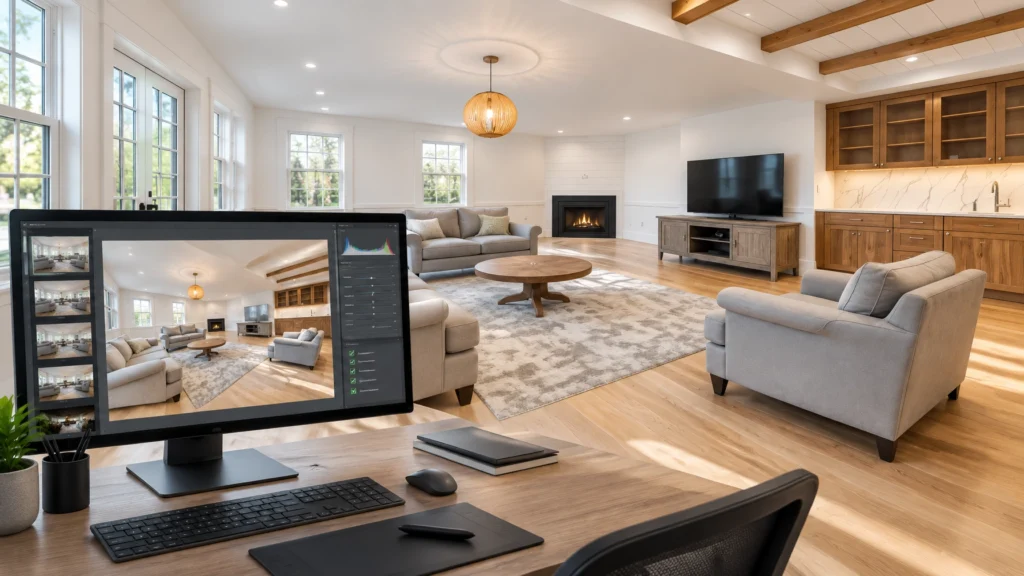
An educational workflow illustration: not a CubiCasa product screenshot or a guarantee of CubiCasa results.
Quick Answer
CubiCasa has expanded beyond automated floor plans with CubiCasa AI Photo Editing, a service that CubiCasa says can blend HDR brackets and apply real estate-specific enhancements such as window pulls, sky replacement, grass enhancement, and TV-screen enhancement.
The potential benefit is straightforward: fewer manual editing steps between capture and delivery.
But AI editing is not a replacement for professional judgment. You still need to capture usable brackets, review every gallery, correct mistakes, protect accurate property representation, and measure the complete workflow before promising faster delivery.
For photographers who already use CubiCasa for floor plans, the bigger opportunity may be combining floor plans, edited photos, and related listing assets in one workflow.
Introduction
CubiCasa is best known among real estate photographers for automated floor plans. Now, the company is moving further into the listing-media workflow with CubiCasa AI Real Estate Photo Editing.
That matters because editing is one of the most persistent bottlenecks in a real estate media business.
After more than 14 years in this industry and photographing over 10,000 homes, I have learned that the editing process can quietly consume the profit from an otherwise efficient shoot. You may photograph a property quickly, but if you spend the rest of the day manually blending brackets, correcting windows, fixing color, and preparing files, the business is still slow.
I already use AI-enabled editing in my paid workflow. I also used CubiCasa for years before the partnership with RE Media Systems existed. My view is practical: AI should remove repetitive work, not remove your responsibility for the final image.
The question is not simply, “Can AI edit my photos?”
The better questions are:
- Can it reduce manual steps?
- Can it maintain consistent image quality?
- Can I inspect the results quickly?
- Can it support reliable delivery promises?
- Can it help me build a more valuable media package?
Table of Contents
- What CubiCasa AI Photo Editing Is
- Capability-by-Capability Breakdown
- CubiCasa vs. Manual Editing vs. AutoHDR
- Floor Plans and Photo Editing in One Workflow
- Delivery, Pricing, and Package Implications
- Responsible Quality-Control Checklist
- What AI Editing Does Not Replace
- Scott’s Field Notes
- Common Mistakes
- Frequently Asked Questions
- Sources and Terms Disclaimer
- Summary and Next Steps
What Is CubiCasa AI Photo Editing?
CubiCasa AI Photo Editing is a cloud-based editing service designed for real estate photography. According to CubiCasa’s product information, photographers can upload HDR brackets and have the system perform AI-powered HDR blending and additional listing-photo enhancements.
In a normal real estate workflow, the process may look like this:
- Capture bracketed RAW files.
- Copy and organize the files.
- Group exposures by room.
- Merge the brackets.
- Correct exposure and white balance.
- Pull detail into bright windows.
- Correct perspective and crop.
- Make property-appropriate enhancements.
- Inspect the complete gallery.
- Export and deliver the final files.
AI editing is intended to automate some of those repetitive steps. That can be valuable, but only if the output still represents the property honestly and matches the quality your clients expect.
CubiCasa lists capabilities including HDR merge, window pull, sky replacement, grass enhancement, TV enhancement, in-app adjustments, reprocessing, and Dropbox delivery. The exact features, plans, pricing, turnaround, and eligibility may change, so verify current details directly with CubiCasa before relying on them.
Capability-by-Capability Breakdown
HDR Merge
CubiCasa says its AI can blend bracketed exposures into a finished HDR image.
This is the core feature for most real estate photographers. A good HDR blend should preserve:
- Detail in bright windows
- Texture in darker rooms
- Natural contrast
- Realistic color
- Clean edges around furniture and fixtures
- Consistency across the gallery
The quality of the result still depends heavily on the source files. If your bracket does not contain usable window detail, an AI editor cannot recover information that was never captured.
For a stronger capture foundation, review the Complete HDR Real Estate Photography Guide.
Window Pull
A window pull uses a darker exposure to retain detail outside bright windows while keeping the interior naturally exposed.
This can save time compared with manually masking every window in Photoshop. However, inspect the window edges carefully. Look for:
- Halos around the frame
- Unnatural brightness changes
- Reflections that disappear
- Curtains or blinds being incorrectly masked
- Outdoor scenery that looks pasted in
- Window detail that is too dark compared with the room
A window should look believable, not like a separate image placed behind the room.
Sky Replacement
CubiCasa lists sky replacement where a sky is visible.
Sky replacement can improve an otherwise flat exterior, but it must be used responsibly. A replacement sky should match the direction and quality of the existing light. Avoid skies that create:
- Dramatic lighting inconsistent with the property
- Shadows that do not match the sun position
- Oversaturated blue tones
- Clouds reflected incorrectly in glass
- A misleading impression of weather or time of day
If an exterior image is materially changed, follow your client’s disclosure requirements and any applicable listing-platform rules.
Grass Enhancement
CubiCasa says its grass enhancement improves the appearance of existing lawn areas. The indexed product information specifically states that it does not replace grass, fill bare spots, or add new landscaping elements.
That distinction is important.
Enhancing existing grass may be comparable to improving color and exposure. Adding a lawn where there is bare soil would change the property’s representation. Those are not the same type of edit.
Always check whether the system has:
- Strengthened existing grass naturally
- Added green color to non-grass surfaces
- Affected sidewalks, mulch, or garden beds
- Created unnatural edges around landscaping
- Changed the apparent condition of the yard
TV Enhancement
CubiCasa lists TV enhancement that places a black overlay on TV screens.
This can remove distracting reflections and make a room look cleaner. It may also prevent personal images or television content from appearing in a listing gallery.
Check that the overlay:
- Stays inside the screen
- Follows the screen’s perspective
- Does not cover the bezel
- Does not affect nearby reflections
- Looks consistent from image to image
Fireplace Enhancement
Fireplace enhancement is listed as coming soon in the supplied CubiCasa product information. Do not build a current package or workflow around this feature until CubiCasa confirms that it is available in your market and account.
In-App Fine-Tuning
CubiCasa reportedly includes controls for:
- Temperature
- Tint
- Saturation
- Exposure
- Contrast
- Brightness
- Highlights
- Shadows
- Cropping
These controls are useful because an automated result may be close without being ready for delivery. A small adjustment inside the platform may be faster than exporting the image to another application.
The important point is that fine-tuning does not eliminate quality control. It gives you another way to correct the result efficiently.
Reprocessing
CubiCasa says users can reprocess photos using updated AI style settings.
This could be useful if you change your preferred look or decide that a gallery needs a more consistent treatment. Before reprocessing an entire job, test the new settings on a small group of representative images:
- A bright living room
- A dark basement
- A kitchen with reflective surfaces
- A room with a strong window view
- An exterior with landscaping
A style that looks good on one room may not work across the entire property.
Dropbox Delivery
CubiCasa says photos can be sent directly to clients through Dropbox.
That may reduce one handoff, but it does not automatically replace your client-delivery system. Consider whether you still need:
- Branded galleries
- Invoicing
- Download permissions
- Client notifications
- Revision tracking
- Payment collection
- Archiving and backups
Dropbox may be useful for a simple transfer. Your complete delivery system should still match the professional experience you promise.

Illustrative workflow visual. The interface shown is not a CubiCasa screenshot.
CubiCasa vs. Manual Editing vs. AutoHDR
No editing system is universally best. The right choice depends on your volume, preferred look, existing software, delivery promises, and willingness to review the output.
| Workflow stage | Traditional manual workflow | CubiCasa AI Photo Editing | Existing AI editor such as AutoHDR |
|---|---|---|---|
| Capture | Photographer captures and organizes brackets | Photographer captures and uploads brackets | Photographer captures and uploads brackets |
| Upload | Files are imported into Lightroom, Photoshop, or another application | Files are uploaded to CubiCasa | Files are uploaded to the AI editor |
| Processing | Photographer or editor merges and adjusts images | CubiCasa says AI handles HDR blending and listed enhancements | AutoHDR is designed for automated HDR processing and real estate editing |
| Quality control | Detailed manual review throughout the edit | Photographer reviews the finished gallery and adjusts problem images | Photographer reviews the processed gallery and makes corrections |
| Delivery | Export, upload, and send through a client platform | CubiCasa says Dropbox delivery is available | Delivery depends on your separate client platform |
| Strengths | Maximum control and flexibility | Potentially simple workflow, especially for CubiCasa users | Strong fit for photographers already using an AI HDR workflow |
| Limitations | Slow and difficult to scale | Output, terms, and feature availability need verification; QC remains necessary | Requires testing and review; may not match every photographer’s preferred look |
| Best fit | Complex hero images and photographers who want full control | Photographers testing an integrated CubiCasa workflow | High-volume photographers who already have a proven AutoHDR process |
If you already use AutoHDR, compare the two systems using your own files and standards rather than assuming you must replace one with the other. Some links are affiliate links. RE Media Systems may earn a commission at no additional cost to you.
Run the same five or ten properties through each workflow. Compare:
- Naturalness of the HDR blend
- Window detail
- Color consistency
- Processing time
- Review time
- Revisions
- Export quality
- Client feedback
Your best system is the one that produces reliable results with the least total effort: not necessarily the one with the lowest processing price.
Floor Plans and Photo Editing in One Workflow
The most interesting part of this announcement is not only the editing feature. It is the possibility of combining multiple listing deliverables through one provider.
A practical CubiCasa workflow could look like this:
- Scan the property for a floor plan.
- Capture bracketed photography.
- Upload the relevant files.
- Receive or review the AI-edited images.
- Review the floor plan and related assets.
- Deliver the complete listing package.
CubiCasa says that with an AI Photo Editing PLUS plan, a CubiCasa Tour is automatically generated. The indexed product information also says these tours can integrate into Realtor.com and Redfin listings. Do not treat that as a guarantee of portal display, matching, or eligibility. Portal rules, listing data, account configuration, and platform matching can affect what appears.
The business advantage of a combined workflow is fewer handoffs. You may not need to move between as many providers, dashboards, or support systems.
That can reduce:
- File transfers
- Naming errors
- Missed deliverables
- Status-check emails
- Separate client instructions
- Confusion about which asset is ready
However, integration is only valuable if the output remains dependable. A single provider does not remove the need to check the floor plan, photos, tour, and delivery links before the client receives them.

Illustrative workflow diagram, not a guarantee of CubiCasa processing or delivery steps.
Delivery, Pricing, and Package Implications
CubiCasa lists typical delivery as 20–40 minutes after upload, with timing varying according to file count, style configuration, and system load. It also lists upload capacity and file-size limits in its product information.
Treat those figures as product information to verify, not as delivery promises you can automatically make to your clients.
Your actual turnaround includes more than AI processing:
- Time to copy files from cards
- Upload time
- Processing time
- Time to inspect the gallery
- Reprocessing time
- Corrections
- Export time
- Client delivery
- Communication and revisions
Before changing your promise from next-day delivery to same-day delivery, measure the entire process across several real listings.
Package Positioning Ideas
You could test several approaches without lowering your professional pricing:
Editing-Only Option
For photographers who already capture the images but need a faster post-production path.
Photos Plus Floor Plan
A core listing package that combines visual presentation with layout information.
Full Listing Media Package
Photography, premium floor plans, drone media, video, virtual tour assets, or other services that fit your market and workflow.
Premium Workflow
A higher-value package built around faster delivery, enhanced quality control, broader listing coverage, and a more complete client experience.
Do not price these packages only by adding up your software costs. The client is paying for your capture skill, equipment, communication, quality control, organization, reliability, and finished deliverables.
If CubiCasa reduces your production cost, that may improve your margin. It does not automatically reduce the value of your service.
I recommend including premium floor plans in every listing package when they fit your workflow and market. A floor plan can help buyers understand the layout, while professional photography shows the character and condition of the home. They solve different problems.
For more package ideas, review the Complete Guide to Real Estate Media Services.
Responsible Quality-Control Checklist
Never send an AI-edited gallery directly to a client without reviewing it.
Exposure and Color
- Is the white balance consistent?
- Are whites actually neutral where they should be?
- Are shadows detailed without looking gray or flat?
- Are highlights controlled without making the home look dim?
- Do warm lights still look natural?
- Is the saturation restrained?
Windows and Skies
- Is the exterior view believable?
- Are window pulls aligned with the frames?
- Are curtains, blinds, and reflections preserved?
- Does the sky match the direction of light?
- Has any replacement sky affected interior reflections?
Landscaping
- Does grass enhancement affect only existing grass?
- Are bare spots still represented honestly?
- Are driveways, sidewalks, mulch, and garden beds unchanged?
- Does the lawn color match the lighting in the rest of the image?
Screens and Fixtures
- Is the TV overlay contained within the screen?
- Are fireplaces, light fixtures, appliances, and plumbing intact?
- Has the system accidentally removed or altered a permanent feature?
- Are reflections on appliances and glass believable?
Geometry and Detail
- Are verticals straight?
- Do walls, cabinets, doors, and windows maintain their shape?
- Are room dimensions represented honestly?
- Are there artifacts around furniture edges?
- Do textures look natural?
- Are mirrors and reflective surfaces correct?
Gallery Consistency
- Does the whole gallery have the same visual style?
- Do adjacent rooms transition naturally?
- Are exterior and interior colors compatible?
- Are all requested deliverables present?
- Have you opened a sample of the final files at full resolution?

Illustrative comparison only. This is not a CubiCasa result or a promise of specific output.
What AI Editing Does Not Replace
AI editing does not replace:
- Good composition
- Accurate camera height
- Straight verticals at capture
- Proper bracketing
- Window-detail planning
- Property preparation
- Client communication
- Ethical judgment
- Quality control
- A dependable delivery system
It also does not fix every capture problem. If the camera moved between exposures, a person walked through the frame, or the dark bracket is still too bright for the windows, you may need to reshoot, manually correct, or accept a limitation.
The best AI workflow starts with disciplined photography.
Scott’s Field Notes
I do not measure an editing tool by how impressive the demonstration looks. I measure it by what happens on a busy week.
Can I process multiple listings without creating a new bottleneck? Can I catch errors quickly? Can another person on the team follow the same process? Can I make a delivery promise and keep it?
That is the standard.
AI has already changed my paid workflow because it removes repetitive editing labor. But I still review the work. A client does not care whether an algorithm, an editor, or I personally blended the window. They care whether the final image is accurate, attractive, consistent, and delivered when promised.
CubiCasa AI Photo Editing is worth testing if it fits the way you already capture and deliver listing media. It is not a reason to abandon a workflow that already works without comparing real files.
Common Mistakes
1. Assuming “AI” Means “No QC”
AI can make mistakes quickly. Review quickly, but review everything.
2. Changing Delivery Promises Too Soon
Measure upload, processing, correction, and delivery time before advertising a new turnaround.
3. Comparing Only Software Prices
The lowest per-photo cost is not automatically the most profitable option. Include your review time and revision rate.
4. Overusing Sky or Grass Enhancements
Enhancement should not make a property look different from reality.
5. Replacing a Proven Workflow Without Testing
Run parallel tests before changing your entire editing process.
6. Lowering Client Prices Because Production Is Cheaper
Maintain pricing based on value. Use better margins to strengthen the business, improve service, or expand the package.
7. Treating Floor Plans and Photos as the Same Deliverable
They provide different information. Explain both benefits clearly to clients.
Frequently Asked Questions
1. What is CubiCasa AI photo editing?
It is CubiCasa’s AI-powered photo editing service for real estate photographers. CubiCasa says it can blend HDR brackets and apply listing-photo enhancements.
2. Does CubiCasa AI Photo Editing replace manual editing?
It may reduce manual editing steps, but it should not eliminate professional review. Complex images, unusual lighting, reflections, and masking problems may still require additional work.
3. Can it edit HDR brackets?
CubiCasa says the service provides AI-powered HDR blending. Verify current supported file types and upload requirements directly with CubiCasa.
4. Does it include window pulls?
Window pull is one of the capabilities listed by CubiCasa. Review every window for alignment, realism, reflections, and natural brightness.
5. Does CubiCasa replace grass?
According to the supplied CubiCasa product information, grass enhancement improves existing lawn appearance but does not replace grass, fill bare spots, or add landscaping elements.
6. Can it replace skies?
CubiCasa lists sky replacement where visible. Use it carefully and avoid edits that create a misleading impression of the property or conditions.
7. Can I fine-tune the edits?
CubiCasa reportedly provides controls for color, exposure, tone, and cropping. Confirm the current controls available in your account.
8. Can I reprocess an image?
CubiCasa says reprocessing is available using updated AI style settings. Test new settings before applying them to an entire gallery.
9. How quickly will edited images be delivered?
CubiCasa lists typical delivery of 20–40 minutes after upload, but timing can vary. Do not promise that turnaround until you have tested the complete workflow in your market and account.
10. Does CubiCasa deliver through Dropbox?
CubiCasa says photos can be sent directly to clients through Dropbox. Consider whether you still need a branded gallery, payment system, client notifications, and archiving process.
11. Does AI Photo Editing include a CubiCasa Tour?
CubiCasa says an AI Photo Editing PLUS plan automatically generates a CubiCasa Tour. Verify current plan terms and remember that portal display can depend on matching and platform rules.
12. How much does CubiCasa AI Photo Editing cost?
CubiCasa’s indexed product information lists possible rates starting as low as $0.15, $0.20, or €0.15 per photo depending on the market. Preferred Photographer PRO members may have different rates or benefits, and new customers may be eligible for trial edits.
These details can change. Verify current pricing, currency, region, eligibility, trial terms, and plan requirements directly with CubiCasa before relying on them.
13. Should I use CubiCasa or AutoHDR?
Test both with your own files. Compare total workflow time, quality, corrections, consistency, and delivery: not just the software price.
14. Do I still need Lightroom or Photoshop?
Possibly. A separate editor may still be useful for complex masking, object cleanup, detailed retouching, or maintaining a specific brand look.
15. Should I disclose AI editing to clients?
Be transparent about your workflow and follow your client agreements, MLS requirements, platform rules, and applicable disclosure expectations. Most importantly, do not use AI to misrepresent the property.
Sources and Terms Disclaimer
This article is based on the official CubiCasa AI Real Estate Photo Editing product page and the indexed official CubiCasa product information supplied for this article. The product page was temporarily inaccessible during research, so capabilities, prices, plan features, delivery estimates, upload limits, trial offers, and support terms should be verified directly with CubiCasa before use.
CubiCasa pricing may vary by market, currency, membership, account, and current offer. Any pricing figures mentioned above are not a quote and should not be treated as current pricing for your region.
CubiCasa is a partner of RE Media Systems. I used CubiCasa for years before the partnership existed. The workflow recommendations in this article reflect practical business considerations, not independent testing of every current CubiCasa feature or plan.
For broader equipment and workflow recommendations, visit the RE Media Systems Recommended Gear page.
Summary
CubiCasa AI Photo Editing could be useful for real estate photographers who want to reduce repetitive HDR and enhancement work, especially photographers already using CubiCasa for floor plans.
The strongest potential benefits are:
- Fewer editing handoffs
- Faster initial processing
- More consistent routine edits
- In-app fine-tuning
- Possible integration with floor plans and tours
- A simpler workflow for delivering multiple listing assets
The risks are just as practical:
- AI errors still require human review
- Processing time is not the same as delivery time
- Product features and pricing can change
- Portal integration is not guaranteed
- Enhancement must not become misrepresentation
- A cheaper production process does not mean your service is worth less
The goal is not to remove all judgment from the workflow. The goal is to spend less time on repetitive processing and more time on capture, quality control, client service, and building a profitable media business.
What To Do Next
- Test CubiCasa AI Photo Editing with several real properties.
- Include difficult examples, not only easy rooms.
- Measure upload time, processing time, QC time, reprocessing, and delivery.
- Compare the results with your existing workflow, including AutoHDR if you already use it.
- Check windows, skies, grass, TV screens, reflections, geometry, and gallery consistency.
- Confirm current pricing and plan terms directly with CubiCasa.
- Review whether premium floor plans belong in every listing package.
- Keep your client pricing based on value rather than reduced production cost.
- Document the workflow so someone else can follow it consistently.
- Update delivery promises only after the system has performed reliably across multiple jobs.
Explore the official CubiCasa AI Real Estate Photo Editing service, compare it against your current editing system, and follow RE Media Systems for practical AI workflows that help you shoot faster, earn more, deliver better quality, and build more freedom into your business.