
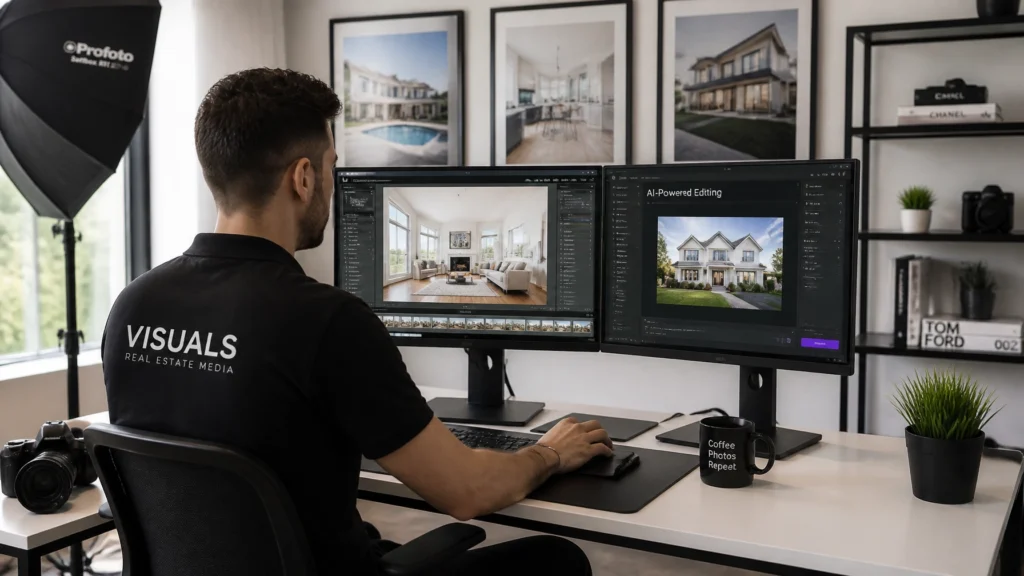
SEO Title: Why I Fired My Photo Editors After 14 Years! (And What I Do Instead)
SEO Description: Discover why after 14 years and 10,000+ homes photographed, Scott Prokop fired his human photo editors and switched to AI editing workflows like AutoHDR to eliminate bottlenecks and skyrocket profitability.
Primary Category: AI & Automation
Tags: Real Estate Photography, Workflow, HDR, Editing, AutoHDR, AI Tools, Automation, Productivity, Business Systems, Time Management
Suggested URL Slug: why-i-fired-my-photo-editors-after-14-years
Primary Keyword: real estate photo editing workflow
Secondary Keywords: AI photo editing, AutoHDR, outsourcing real estate editing, real estate photography automation, Scott Prokop
Reading Time: 12 minutes
For over 14 years, I built my real estate media business on a model that most solo operators and growing agencies swear by: outsource everything possible so you can shoot more.
After photographing more than 10,000 homes, I had tried it all. I hired offshore editing teams in Eastern Europe and Asia, managed local freelance retouchers, and built complex multi-tier quality control checklists. For a long time, it felt like the only way to scale. If I was shooting four or five properties a day, there simply weren't enough hours in the evening to bracket, merge, blend windows, straighten verticals, and color-grade every single frame myself.
Then, the bottlenecks started choking my business.
Turnaround times began slipping from 12 hours to 24, and occasionally 48 hours. Consistency plummeted when a reliable editor rotated off my account and a new trainee took over, leaving me with blown-out windows, unnatural yellow color casts, and warped vertical lines that I had to fix myself anyway. Profit margins eroded under mounting per-image editing fees, rush fees, and the sheer overhead of managing revisions.
So, I made a drastic decision: I fired my photo editors.
In this comprehensive guide, I’m going to pull back the curtain on why traditional outsourcing failed my 14-year-old real estate media company, how transitioning to modern AI editing workflows, specifically leveraging tools like AutoHDR and Adobe Creative Cloud, transformed my business, and how you can implement this exact system to shoot faster, earn more, and reclaim your life.
🚀 Quick Answer: Why Ditch Human Editors for AI?
Traditional offshore photo editing creates communication delays, revision back-and-forth, inconsistent quality, and margin erosion. By transitioning to modern AI-driven editing workflows like AutoHDR paired with Adobe Lightroom and Photoshop, real estate photographers can cut turnaround times from 24 hours to under 30 minutes, eliminate human error, maintain strict brand consistency, and drastically increase profit per shoot.
The 14-Year Evolution of Real Estate Editing: Why the Old Model Broke
To understand why I walked away from human editing teams, you have to look at how the real estate media landscape has evolved. When I started over a decade ago, bracketed HDR exposures required tedious manual layer masking in Photoshop. Outsourcing seemed like a miracle. Handing off 30 to 50 bracketed images meant I could wake up the next morning with finished finals ready to upload via HDPhotoHub.
However, as client expectations shifted toward same-day or next-morning turnaround times, the cracks in human outsourcing widened into chasms.
1. The Communication and Time-Zone Bottleneck
Even with the best offshore teams, communication happened across a 12-to-14-hour time difference. If an agent requested a revision, such as removing a reflection in a TV screen, swapping a grey sky for a blue one, or adjusting a color cast on hardwood floors, it triggered a 24-hour cycle. In today's hyper-competitive real estate market, waiting 24 hours for a simple revision is unacceptable.
2. The Inconsistency Tax
Human editors are human. They get tired, they have different aesthetic interpretations, and agency staff turnover is notoriously high. One week, my interiors looked crisp, neutral, and balanced. The next week, shadows were lifted to an unnatural gray, contrast was crushed, and window views looked painted on. Every minute I spent reviewing, rejecting, and re-instructing editors was time I wasn't spending acquiring new listing clients or shooting on location.
3. Margin Erosion and Hidden Costs
Outsourcing isn't free. While per-image rates might look attractive on paper ($0.75 to $2.00 per photo), the hidden costs add up fast:
- Revision hours: Fixing editor mistakes ate up my billable time.
- Rush fees: Same-day turnarounds doubled or tripled base editing costs.
- Volume caps: During peak spring and summer selling seasons, my editors would hit capacity and cap my incoming shoots, forcing me to turn down business.
At RE Media Systems, our core mission is helping photographers shoot faster, earn more, and build better real estate media businesses. I realized that my editing workflow was doing the exact opposite: it was slowing me down, eating my profits, and tethering my business to someone else's schedule.
What I Do Instead: The Modern AI-Powered Editing Ecosystem
Instead of managing a team of remote retouchers, my entire editing operation is now built around automated artificial intelligence and streamlined local batch processing.

Here is the exact tech stack and workflow that replaced my human editors:
- Automated Exposure Merging & HDR: I process my bracketed exposures using AutoHDR, which instantly handles ghosting, highlight recovery, and natural tonal balance without the artificial "crunchy" look of old-school tonemapping.
- Local Adjustments & Batch Grading: Final color grading, lens corrections, and global adjustments are executed in Adobe Creative Cloud (Lightroom & Photoshop) using custom-built presets tailored to my signature aesthetic.
- Advanced Retouching & Staging: For vacant properties or rooms requiring digital furniture, I utilize advanced solutions like Virtual Staging AI or Fotello to deliver jaw-dropping transformations in minutes rather than days.
- Seamless Delivery: Finished media is instantly pushed to clients via HDPhotoHub, ensuring a frictionless client experience.
Detailed Comparison: Human Editors vs. AI Editing Workflows
To help you evaluate your own business model, let's break down how human outsourcing stacks up against modern AI-driven editing across key business metrics.
| Metric | Traditional Human Outsourcing | Modern AI Editing Workflow (AutoHDR) |
|---|---|---|
| Turnaround Time | 12 to 48 hours (plus time-zone lag) | 10 to 30 minutes total processing time |
| Consistency | Varies by editor skill, mood, and staff turnover | 100% consistent based on preset rules & AI logic |
| Revision Cycles | Requires ticketing, emails, and 24-hour delays | Instant local adjustments in Lightroom/Photoshop |
| Cost Structure | Per-image fees, rush charges, subscription minimums | Fixed software cost, zero per-image overhead |
| Scalability | Capped by editor availability during peak season | Infinitely scalable; handles 1 shoot or 20 shoots effortlessly |
| Data Privacy | Images shared with third-party offshore servers | Local control or secure enterprise cloud processing |
Step-by-Step Implementation: How to Transition Away From Human Editors
If you are currently relying on offshore editors and want to transition to a streamlined, high-profit AI workflow, don't pull the plug overnight. Follow this structured 4-step implementation plan:
Step 1: Audit Your Current Editing Costs and Turnaround Times
Pull your invoices from the last 3 months. Calculate your total monthly spend on outsourcing, rush fees, and revisions. Next, track how many hours you spend fixing returned photos. You will likely discover that outsourcing is costing you far more per hour than you realized.
Step 2: Build and Test Your AI Workflow in a Sandbox Environment
Before firing anyone, test out modern tools. Set up AutoHDR and process a batch of your recent bracketed shoots. Compare the speed, dynamic range, and color accuracy against your human-edited finals. You will immediately notice how clean modern highlight and shadow recovery has become.
Step 3: Establish Your Signature Preset Baseline
AI tools give you speed, but your unique brand gives you distinction. Spend an afternoon in Adobe Lightroom creating or refining your master signature preset. Dial in your white balance preferences, shadow lifting limits, and lens profile corrections so every photo matches your brand identity.
Step 4: Cut the Cord and Reinvest Your Margins
Once your AI pipeline is dialed in, notify your editing team, cancel your subscriptions, and transition your active shoots to your new automated workflow. Use the extra profit margin to invest in better gear, like upgrading to a Sony FE 16-35mm f/2.8 GM II or adding a DJI Air 3S drone to your kit, or put those dollars straight toward your bottom line.
Pros and Cons of AI Editing vs. Human Outsourcing
AI Editing Workflows
Pros:
- Instant turnaround time (same-hour delivery becomes effortless).
- Zero per-image fees, drastically increasing profit margins per shoot.
- Absolute control over style, color grading, and brand consistency.
- No communication barriers, time-zone lags, or miscommunicated revision notes.
Cons:
- Requires an initial learning curve to master software and presets.
- Complex object removal (like decluttering a messy garage or removing cars from a driveway) still requires manual Photoshop work or specialized AI brush tools.
Human Outsourcing Teams
Pros:
- Completely hands-off if you have a top-tier, reliable team.
- Can handle heavy, complex manual retouching requests out of the box.
Cons:
- Slow turnaround times destroy same-day marketing advantages.
- High variance in quality and frequent staff turnover.
- Margin erosion eating into your per-shoot profitability.
Common Mistakes When Moving to AI Editing (And How to Avoid Them)
When photographers first transition away from human editors, they often stumble into a few common traps. Here is how to avoid them:
- Mistake 1: Relying on raw, unedited AI output. AI is an incredible accelerator, but it isn't a mind reader. Always run AI output through a standardized Lightroom preset check to ensure white balance and vertical alignment match your professional standards.
- Mistake 2: Neglecting vertical lines. Nothing screams "amateur" faster than tilted walls. Always apply automated vertical corrections in Lightroom or your raw processor.
- Mistake 3: Over-processing windows. Avoid aggressive HDR tone mapping that creates halos around window frames. Modern AI blending should look indistinguishable from natural window pulls.
Frequently Asked Questions (FAQ)
1. Won't I spend more time editing if I fire my human editors?
Ironically, no. With modern batch processing tools like AutoHDR and synchronized Lightroom presets, processing a 30-image real estate shoot takes less than 15 minutes of active computer time: often less time than it used to take me to write revision instructions and wait 24 hours for a human editor to fix them.
2. Is AI editing difficult to learn for someone who hates computer work?
Not at all. If you already use Adobe Lightroom for culling and basic adjustments, integrating automated HDR tools requires minimal learning. Most workflows operate via drag-and-drop batch processing.
3. Can AI handle difficult window pulls in bright sunrooms?
Yes. Modern AI HDR algorithms evaluate multiple bracketed exposures instantaneously, pulling crystal-clear exterior views through bright windows without creating artificial edge halos or gray window glass.
4. What happens when I have complex object removal requests?
While AI handles exposure, color, and vertical alignment brilliantly, heavy item removal (like clearing furniture from a room or removing cars from a driveway) is easily handled in seconds using Photoshop's Generative Fill tools.
5. How much money will I save by switching from human editors to AI?
Depending on your shoot volume, photographers typically save anywhere from $500 to $2,500+ per month in direct editing fees, rush charges, and subscription overhead, instantly boosting net profit margins.
6. Do I need a high-end computer to run AI editing software?
Having a solid workstation with a dedicated GPU (Graphics Processing Unit) helps speed up batch exports, but you don't need a supercomputer. Most modern desktop setups or Apple Silicon Macs handle these workflows effortlessly.
7. Will my clients notice the difference in quality?
In most cases, your clients will notice an improvement in quality and consistency because there are no longer off-weeks where a poorly trained offshore editor delivers muddy colors or missed window pulls.
8. How do I maintain my signature look without human retouchers?
By building and locking in custom preset templates in Lightroom. Once your baseline look is saved, every batch processed through your system maintains your exact brand aesthetic.
9. Can I still offer virtual staging without human designers?
Yes! Modern AI platforms like Virtual Staging AI and Fotello allow you to furnish empty rooms digitally in minutes, creating massive upsell revenue streams.
10. Where can I learn more advanced real estate media workflows?
Explore the comprehensive training resources, guides, and business systems available right here at RE Media Systems to master every facet of your media business.
Final Recommendation & Next Steps
Firing my photo editors after 14 years wasn't just a cost-cutting measure: it was a liberation of my time, my sanity, and my profit margins. By replacing human bottlenecks with high-powered AI workflows like AutoHDR and Adobe Creative Cloud, I took back control of my schedule, slashed my turnaround times to minutes, and built a leaner, more profitable real estate media business.
If you are tired of chasing offshore editors, waiting 24 hours for revisions, and watching your hard-earned margins slip away, it's time to take control of your production pipeline.
Ready to transform your real estate media business?
- Explore Recommended Gear: Check out our Ultimate Real Estate Photography Gear Guide for our tested camera, drone, and lighting setups.
- Master Your Workflow: Dive into our proven Real Estate Photography Editing Workflow guide.
- Join the Community: Connect with fellow real estate media professionals building scalable, high-profit businesses at RE Media Systems.