
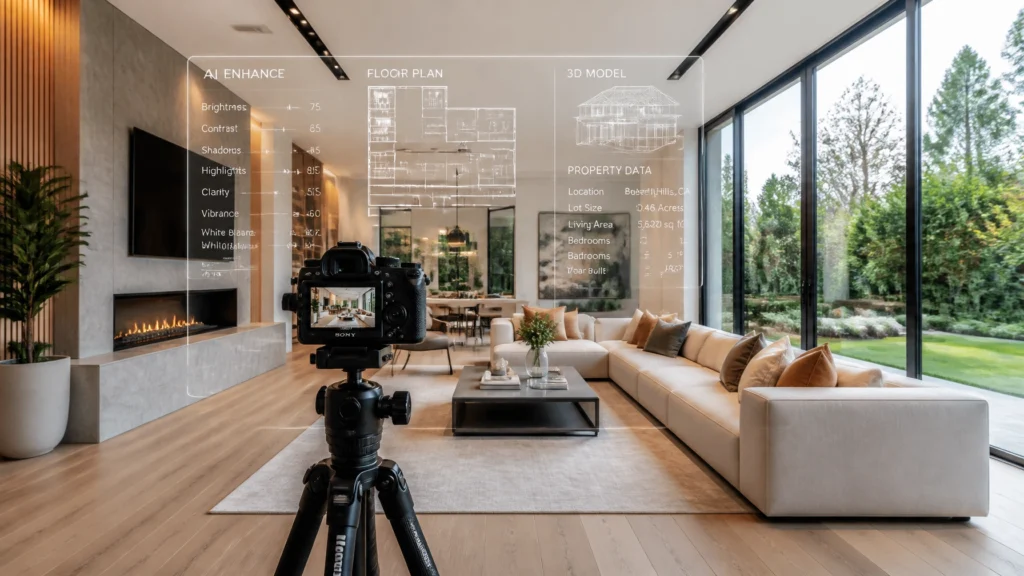
AI is changing real estate photography quickly, but not always in the way people think.
The real opportunity is not replacing photographers. It is removing repetitive work, tightening systems, adding profitable services, and helping you deliver a better client experience with less wasted time. That matters whether you are a solo operator trying to stop editing until midnight or a growing media company trying to standardize quality across multiple photographers.
After more than 14 years as a full-time real estate photographer and after photographing more than 10,000 homes, I have learned that new technology only matters when it improves the actual workflow around it. A tool can sound impressive on paper and still be a bad fit in a real business if it creates more checking, more inconsistency, or more client confusion.
The question I use is simple:
“Will this help photographers shoot faster, earn more, or deliver better quality?”
If the answer is no, it is a distraction.
This article is designed to give you a practical, experience-driven look at where AI actually fits inside a real estate media business in 2026. I am going to cover editing, virtual staging, marketing, client communication, admin systems, quality control, and the places where you still absolutely need human judgment.
Pull Quote:
“AI should make your business more efficient, not more careless.”
This is pillar #9 in our cornerstone series, and the goal is straightforward: help you use AI as a business tool without damaging trust, image quality, or your reputation.
Quick Verdict: AI Is Worth Using, but Only With a Real Workflow Behind It
Yes, I recommend adopting AI in a real estate photography business.
But I do not recommend handing over your whole workflow and hoping the software figures everything out for you.
The best uses of AI for real estate photographers right now are:
- HDR processing and first-pass image editing
- Object removal and cleanup
- Virtual staging and virtual twilight
- Faster writing for emails, blogs, captions, and marketing
- Client communication templates and admin automation
- SOP creation, training documentation, and team systems
- Repurposing listing content into more deliverables
The worst use of AI is trying to automate bad habits.
If your shooting is inconsistent, your pricing is weak, your delivery system is messy, or your client communication is unclear, AI usually makes the mess faster. It does not fix it.
Tip Box: Start Here
If you are new to AI, do not adopt five tools at once. Pick one bottleneck:
- editing
- virtual staging
- follow-up emails
- content marketing
Test one system, measure the result, then expand.
What AI Actually Changes in a Real Estate Photography Business
A lot of photographers hear “AI” and immediately think about image editing.
That is part of it, but it is not the whole story.
In a normal real estate media business, your day is usually split between four categories of work:
- Capturing the property
- Processing and delivering the media
- Managing communication and operations
- Getting the next client
Most photographers spend too much time in categories 2, 3, and 4 because those tasks pile up in the background. That is where AI becomes useful.
Here is what AI can realistically help with:
- Reducing hands-on editing time
- Speeding up repetitive written communication
- Creating marketing drafts faster
- Turning one service into multiple deliverables
- Documenting business systems
- Making training more repeatable
- Improving consistency when you already have a clear process
Here is what it does not replace:
- Composition
- Perspective control
- Property judgment
- Lighting decisions
- Client trust
- Final quality control
- Ethical responsibility
After photographing more than 10,000 homes, I can tell you that the most profitable photographers are usually not the ones chasing every new tool. They are the ones building a repeatable workflow that produces a consistent result. AI has the most value when it plugs into that kind of business.
Where AI Fits in the Workflow
The easiest way to think about AI is by breaking your business into stages:
- Before the shoot
- During capture
- After the shoot
- Marketing and follow-up
- Training and scaling
Let’s walk through each one.
1. Use AI Before the Shoot to Reduce Friction
A lot of expensive mistakes happen before you even walk into the house.
The property is not ready. The seller did not understand expectations. The agent forgot to mention occupancy issues. The listing needs rush delivery but nobody communicated that clearly. The home has a feature that should have changed your service recommendation, but you did not know in advance.
AI can help standardize your pre-shoot communication so fewer problems show up on site.
Useful Pre-Shoot AI Tasks
You can use ChatGPT or similar tools to help create:
- Seller preparation checklists
- Agent onboarding emails
- Property intake questionnaires
- Rush-delivery explanation templates
- Service recommendation scripts
- Weather-related rescheduling emails
- Vacant-property staging upsell emails
- Appointment confirmation templates
- “What to expect” messages for first-time agents
That may sound small, but these systems directly affect how smoothly your day goes.
For example, instead of rewriting the same prep message every time, create a standardized version that explains:
- lights on
- blinds adjusted consistently
- vehicles moved
- pets secured
- counters cleared
- toilet lids down
- beds made
- photographers will not fully stage the home
- the property must be show-ready at arrival
Then customize it for the listing instead of rebuilding it from scratch.
Scott’s Field Note:
Many shoot-day problems are really communication problems. Better prep instructions often save more time than buying another piece of gear.
If you want to improve your full process, also read the 60-minute real estate photography workflow and the real estate photography pricing guide, because pricing and process usually affect each other more than photographers realize.
2. AI Does Not Replace Good Capture
This is where a lot of people get lazy.
AI is powerful, but it does not remove the need to create a clean source image. It does not excuse poor composition, tilted verticals, bad room selection, blown windows, sloppy framing, or unnecessary overshooting.
Your AI workflow is only as strong as your shooting workflow.
After photographing more than 10,000 homes, one thing becomes very clear: speed comes from having fewer decisions to make. The best field workflows are built on repeatable patterns:
- consistent room order
- repeatable camera height
- reliable lens choice
- standard hero angles
- predictable bracketing
- efficient movement through the property
That is why I recommend dialing in your field system first. If you need help with that, start with:
- 60-minute real estate photography workflow
- HDR real estate photography guide
- best aperture for real estate photography
- how to fix vertical lines in real estate photography
- how to avoid wide-angle distortion
Capture Checklist Before AI Editing
Before you leave a room, make sure:
- verticals are controlled
- the composition makes sense
- the key architectural features are visible
- the brackets are complete
- windows are protected as much as practical
- motion is minimized
- mirrors and reflections are checked
- the hero angle is stronger than your alternates
Warning Box:
AI editing is not a rescue plan for careless shooting. If the source file is weak, the output usually becomes slower to fix, not faster to deliver.
3. AI Editing Is the Biggest Immediate Opportunity
For most photographers, editing is the first and best place to test AI because it is repetitive and measurable.
That matters.
A good AI editing tool should reduce hands-on time without lowering the final standard. If it saves processing time but creates extra review work, you have not really gained anything.
AutoHDR for First-Pass HDR Processing
AutoHDR is one of the most relevant AI tools for real estate photographers because it is built around actual real estate deliverables. Depending on the current version and feature set, it can help with:
- HDR blending
- sky replacement
- object removal
- grass enhancement
- fireplace effects
- TV screen replacement
- twilight-style enhancements
- AI re-edit options
The right way to evaluate a tool like this is not by reading feature lists. It is by running your own files through it.

How to Test an AI Editing Workflow Properly
Take a recent completed listing and compare your current process with an AI-assisted one.
Track:
- total hands-on time
- total turnaround time
- window realism
- color consistency
- shadow cleanup
- straight verticals
- artifact issues
- revision rate after delivery
If the output gives you a usable first pass and reduces manual cleanup, that is a win. If you are fixing every frame by hand, it may not fit your workflow.
Tip Box: Measure the Right Thing
Do not ask, “How fast did the software process?”
Ask, “How long until I had a client-ready gallery?”
That is a much better business metric.
Adobe Creative Cloud Still Matters
I do not view AI and Adobe as competitors. I view them as different parts of a professional workflow.
Adobe Creative Cloud is still important for photographers using Lightroom and Photoshop for:
- hero image cleanup
- color balancing
- advanced object removal
- reflection fixes
- compositing
- perspective refinement
- layer-based corrections
- client revision work
The real-world workflow for many photographers will be:
- AI handles the repetitive first pass
- Lightroom/Photoshop handles the final polish
- human review protects quality
That hybrid approach is usually more realistic than trying to force a fully automated system.
Use Generative Re-Edit Tools Carefully
Prompt-based edits can be useful for small corrections, but they can also quietly change architectural details.

Always inspect:
- window frames
- door edges
- railings
- tile lines
- countertops
- appliance details
- fixtures
- landscaping boundaries
- signs and address numbers
Warning Box:
If the edit changes the facts of the property, it is no longer just editing. It becomes misrepresentation.
That is not a technical mistake. That is a trust problem.
4. Virtual Staging Is One of the Best AI Add-On Services
If your goal is not just saving time but increasing revenue, virtual staging is one of the clearest AI opportunities available right now.
Vacant homes often look smaller, less useful, and less inviting in photos. Buyers struggle to understand scale and function. A good staged image helps the room make sense.
Tools like Fotello and Virtual Staging AI can make this service much faster to produce than traditional manual staging workflows.

But speed does not remove the need for judgment.
Virtual Staging Quality Checklist
Before delivering a staged image, ask:
- Is the furniture scaled correctly?
- Do the pieces sit naturally in the room?
- Are shadows believable?
- Does the design style fit the property?
- Are doors, windows, and walkways still visible?
- Does the room feel functional instead of cluttered?
- Is anything architecturally misleading?
- Is the original image available too?
- Has the client been told it is virtually staged?
I strongly recommend delivering both the original and the staged version when appropriate and making sure the agent understands any local disclosure requirements.
For a deeper breakdown, read 7 Mistakes You’re Making with AI Virtual Staging.
How to Price It
Do not underprice virtual staging just because the software made it quicker.
Price it based on:
- client value
- review time
- revision time
- software cost
- increased listing appeal
- marketing usefulness
You can offer it as:
- per image
- bundle of 3-5 rooms
- premium listing package
- vacant-home upgrade
- add-on after the main shoot
After photographing more than 10,000 homes, I can tell you that buyers respond to clarity. If staging helps them understand the room better, it has real value.
5. AI Can Help You Repurpose One Shoot Into More Services
This is where AI becomes a business multiplier.
A single finished listing can become more than just a photo gallery. With the right workflow, it can also become:
- a listing reel
- short vertical videos
- captions for social media
- a blog post
- a case study
- neighborhood content
- email marketing material
- before-and-after posts
- AI-staged image upsells
- agent marketing support
That does not mean you should sell everything to everyone. It means the content you already created can do more work for you and for your clients.

If you are offering video, DaVinci Resolve Studio is still a strong option for full editing. If you want a fast field setup for walkthroughs or reels, the DJI Osmo Pocket 4 Creator Combo, DJI Mic 2, DJI RS 5, or DJI Osmo Mobile 7P can support efficient video production depending on how you work.
Related internal resources:
- real estate reels scripting guide
- complete real estate media services guide
- AI virtual staging mistakes and fixes
And if you want Scott’s video content on business growth, watch the 2026 roadmap for building a profitable real estate media business.
6. AI for Client Communication and Admin Automation
A lot of business growth comes from removing tiny repetitive tasks that constantly interrupt your day.
AI can help with:
- inquiry replies
- booking confirmations
- prep instructions
- delivery emails
- review requests
- FAQ responses
- late-payment reminders
- upsell suggestions
- onboarding documents
- post-shoot follow-up sequences
This works even better when paired with a delivery and client management platform like HDPhotoHub, Aryeo, or Spiro, depending on the kind of business system you are building.
The goal is not to sound robotic. The goal is to avoid rewriting the same useful message 300 times a year.
Pull Quote:
“Automate the first draft, not the relationship.”
That rule matters.
A first reply can be templated. A prep email can be standardized. A review request can be automated. But if a client has a complaint, an exception, a rush request, a pricing concern, or a special situation, that needs human attention.
Good Communication Tasks to Automate First
Start with these:
- new inquiry acknowledgment
- “here’s how to prepare the home” email
- booking confirmation
- delivery notification
- review request after successful delivery
- follow-up to past clients after a few months
Those are repetitive, predictable, and easy to quality check.
7. AI for Marketing and Lead Generation
Most photographers do not have a marketing problem because they lack ideas.
They have a marketing problem because they do not have a repeatable system.
AI can help you take one completed job and turn it into multiple assets faster:
- Instagram caption
- blog outline
- educational email
- video script
- Google Business Profile post
- case study
- testimonial follow-up
- “before and after” explanation
- FAQ content for your website
The difference between bad AI marketing and useful AI marketing is the quality of the input.
If you ask for generic content, you get generic content.
If you give the AI specifics about your client, your market, your turnaround time, your service style, and the problem you solve, the output gets much better.
A Better Way to Use ChatGPT for Marketing
Weak prompt:
“Write a post about real estate photography.”
Stronger prompt:
“Write a short educational Instagram caption for real estate agents explaining why next-morning delivery helps them go live faster. Keep the tone practical, professional, and straightforward.”
That is much more useful.
If you want a bigger-picture system, also read:
- how to get your first 25 realtor clients
- real estate photography pricing guide
- how to build a six-figure real estate media business
8. AI Can Help You Document and Train Your Business
One of the biggest hidden advantages of AI is documentation.
If your whole company only works because everything is inside your head, growth will eventually stall. You become the bottleneck.
AI can help you turn rough notes, voice memos, bullet lists, and screen recordings into usable SOP drafts for:
- booking
- shoot prep
- room sequence
- camera settings
- file naming
- editing standards
- drone safety
- delivery process
- revision handling
- reshoots
- invoicing
- equipment checks
- onboarding team members
After photographing more than 10,000 homes, I can tell you that consistency is not an accident. It is trained.
AI can speed up the documentation side of training, but it cannot replace field evaluation. A photographer still needs to demonstrate they can compose properly, move through a property efficiently, communicate professionally, and maintain standards under pressure.
Tip Box: Practical SOP Workflow
- Record yourself explaining the process
- Transcribe it
- Use AI to clean it into steps
- Review every instruction
- Turn it into a checklist your team can actually use
9. What You Should Not Fully Automate
This part matters just as much as the opportunities.
Some parts of the business should keep a strong human review step, even if AI is involved:
- final image quality control
- virtual staging approval
- legal or MLS disclosure decisions
- reshoot decisions
- sensitive client conversations
- exceptions to pricing
- copyright/usage issues
- brand voice for major public content
- safety decisions on location
- anything that could misrepresent the property
For a broader discussion, see AI real estate photo disclosure laws.
Warning Box:
Never allow AI to invent permanent property features, remove structural problems, change lot boundaries, or create a misleading representation of the home.
That is not just a style issue. It can damage client trust and create real business risk.
10. A Practical 30-Day AI Implementation Plan
If you are feeling overwhelmed by the number of tools available, keep this simple.
Week 1: Audit Where Your Time Is Going
Track your time for:
- editing
- scheduling
- file handling
- delivery
- invoicing
- revisions
- marketing
- follow-up
Find the most repetitive bottleneck.
Week 2: Test One Editing Tool
Use a recent listing and compare your current workflow against AutoHDR.
Measure:
- hands-on time
- total turnaround time
- correction count
- consistency
- client-ready quality
Week 3: Add One Revenue Service
Test Fotello or Virtual Staging AI on a few vacant-room examples and show those examples to current clients.
Keep your offer simple:
- number of images included
- number of revisions
- turnaround time
- labeling/disclosure approach
Week 4: Automate One Communication Step
Choose one:
- inquiry reply
- booking confirmation
- prep email
- delivery email
- review request
- follow-up campaign
Document the workflow before you automate it.
Track Business Results, Not AI Activity
A lot of people feel productive just because they are experimenting with software.
That is not the same as improving the business.
Track metrics that actually matter:
| Metric | Why It Matters |
|---|---|
| Hands-on editing minutes per listing | Shows whether labor is dropping |
| Average turnaround time | Measures client-facing speed |
| Revision rate | Shows whether quality is holding |
| Average order value | Measures add-on success |
| Revenue per working hour | Connects efficiency to profit |
| Repeat booking rate | Reflects trust and client experience |
| Lead response time | Measures sales responsiveness |
If a tool saves five minutes but creates weaker images, it is not a good trade.
If it saves an hour, maintains quality, and gives you room for another profitable shoot or better turnaround, that is real leverage.
Frequently Asked Questions About AI for Real Estate Photographers
1. Will AI replace real estate photographers?
No. AI can automate parts of editing, writing, staging, and administration, but it does not replace the need for composition, lighting judgment, client communication, property awareness, and final quality control.
2. What is the best first AI tool to test?
For many photographers, editing is the best place to start, which makes AutoHDR a practical first test. If editing is already outsourced, communication or marketing automation may be a better first move.
3. Can AI edit bracketed HDR images well enough for paid work?
Yes, it can, but you still need to test it against your own standards. The result depends on capture quality, bracket consistency, motion in the scene, and your review process.
4. Should I stop using Lightroom and Photoshop if I start using AI?
No. Adobe Creative Cloud is still valuable for final control, detailed cleanup, reflection fixes, compositing, and hero-image adjustments.
5. Is AI virtual staging safe for MLS listings?
It can be, as long as the images are not misleading and the agent follows any local disclosure requirements. Always make sure the staged version still represents the room honestly.
6. How much should I charge for AI virtual staging?
Charge based on client value, review time, revisions, software cost, and listing impact. Do not automatically lower your price just because production became easier.
7. Can ChatGPT write my emails and website copy?
It can help draft them much faster, but you should still add your own voice, market knowledge, and real-world experience before publishing or sending.
8. Should I tell clients that AI was used?
Be honest about your process when relevant, and always disclose generative changes that materially affect how the property is represented.
9. How do I prevent AI mistakes from reaching clients?
Use a checklist, compare outputs to originals, inspect all images carefully, and never skip final review before delivery.
10. Can AI help train photographers or editors?
Yes. It can help organize SOPs, clean up training notes, generate checklists, and summarize feedback. But practical field coaching and performance review still matter.
11. What is the biggest AI mistake photographers make?
They automate before they standardize. If the workflow is inconsistent, AI usually accelerates the inconsistency.
12. Can AI help me make more money, not just save time?
Yes. The best examples are virtual staging, twilight edits, faster delivery, content repurposing, and improved follow-up systems that help you book more work.
13. What admin task should I automate first?
Usually one of these: inquiry replies, prep emails, delivery emails, or review requests. They are repetitive, easy to template, and easy to review.
14. Is AI useful if I am still a solo photographer?
Absolutely. In fact, solo photographers often feel the time savings first because they are doing everything themselves.
15. What is the best mindset for using AI in this business?
Use AI like an assistant, not a substitute for standards. It should support your workflow, not become an excuse to lower it.
Final Recommendation: Build an AI-Assisted Business, Not an AI-Dependent One
AI is one of the most useful shifts I have seen in real estate photography, but only when it is attached to a clear system.
After photographing more than 10,000 homes, I do not believe the winning photographers will be the ones who automate the most. I believe they will be the ones who automate the right tasks while protecting quality, trust, and consistency.
Your value still comes from:
- understanding how to photograph a property well
- communicating clearly with clients
- delivering accurate work
- maintaining quality standards
- creating a business that runs predictably
AI can help you:
- reduce repetitive labor
- add profitable services
- improve delivery speed
- standardize communication
- document systems
- create more leverage from the same work
That is the right way to use it.
Continue Learning
- Read the complete AI & Automation library
- Learn the 60-minute real estate photography workflow
- Study the HDR real estate photography guide
- Review the real estate photography pricing guide
- Explore the RE Media Systems Recommended Gear
- Watch Scott’s 2026 roadmap for building a profitable real estate media business
- Subscribe to the RE Media Systems YouTube channel
Ready to Build a Smarter Real Estate Media Business?
If you want practical systems for using AI, improving workflow, and building a more profitable business, here is the next step:
- Explore the full AI & Automation category
- Watch Scott’s videos on the RE Media Systems YouTube channel
- Browse the Recommended Gear and Tools
- Join Scott’s free community and newsletter here: RE Media Systems Community
The goal is not to chase shiny tools.
The goal is to shoot faster, earn more, and build a better real estate media business.